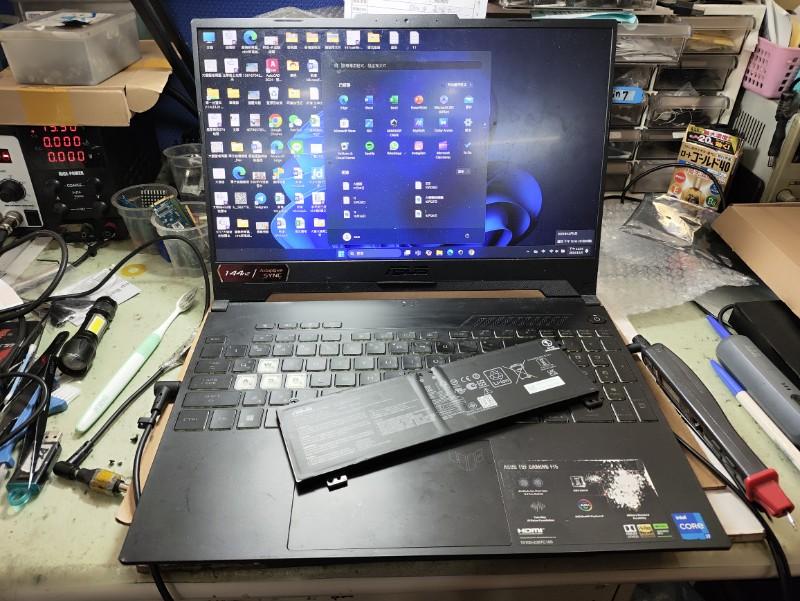
Laptop screen flickering is one of the most common display issues users experience. If you are facing Asus laptop screen flickering, where the display starts flashing, blinking, or behaving unpredictably, the problem could be caused by either software issues or hardware failure.
Many users notice screen flickering laptop Asus devices when the brightness changes unexpectedly or the screen flashes while working. In some cases, simple troubleshooting steps like updating graphics drivers or adjusting display settings can fix the problem. However, persistent screen flickering Asus laptop problems may indicate deeper issues such as damaged display panel or a loose screen cable.
Understanding the possible causes behind asus laptop flickering helps determine whether the issue can be fixed with basic troubleshooting or requires professional repair.
PS: In our experience repairing Asus laptops at IndiRepair, screen flickering is one of the most common display issues users face. In many cases, the problem is caused by something as simple as outdated drivers, but we also frequently see hardware issues like damaged display cables near the hinge area.
Why is My Asus Laptop Screen Flickering
Screen flickering usually occurs when the laptop display rapidly turns on and off, changes brightness unexpectedly, or shows intermittent flashes. Many users describe the issue as a flickering screen Asus laptop problem, especially when the display blinks while using application or browsing.
In most Asus laptops, this issue falls into 2 main categories.
1. Software-related issues
a. Outdated graphics drivers.
Graphics drivers control how the operating system communicates with the laptop’s display hardware. If these drivers become outdated or corrupted, they can cause display instability.
This is especially common after Windows updates, where driver compatibility issues can cause screen instability.
Common signs include:
i. Screen flickering after a Windows update.
ii. Flickering when launching certain applications.
iii. Random display flashes during normal use.
Updating the graphics driver often resolves Asus screen flicker issues caused by software conflicts.
b. Incorrect refresh rate settings.
Many Asus laptops support higher refresh rate such as 120Hz, 144Hz or even 165Hz. If the refresh rate is set incorrectly, it can lead to flickering screen Asus laptop problems or unstable visuals.
This usually happens when:
i. Display settings are changed manually
ii. An external monitor is connected
iii. Graphics driver reset display configurations
Setting the correct refresh rate in the display settings can often eliminate Asus laptop flickering caused by refresh rate mismatches. We often notice this issue when users switch between external monitors and laptop displays, which can reset display settings automatically.
2. Hardware- related problems

a. Loose or damaged display cable.
The display cable connects the laptop’s motherboard to the screen panel. Over time, repeated opening and closing of the laptop lid can cause this cable to loosen or wear out.
Typical symptoms include:
i. Flickering when adjusting the screen angle.
ii. Display blinking when moving the lid.
iii. Temporary Asus screen flicker that stops when the screen position changes.
In many Asus laptops, the display cable runs through the hinge, making it prone to wear and tear over time due to repeated opening and closing.
b. Failing LCD panel.
If the display panel itself begins to fail, screen flickering laptop Asus problems can become more frequent and noticeable. This usually happens when the internal display controllers or backlight components start malfunctioning.
Signs of a failing panel include:
i. Brightness fluctuates randomly.
ii. Flickering that becomes worse over time.
iii. Lines or artifacts appearing on the screen.
In real-world cases, panel failure usually starts with minor flickering and gradually worsens into visible lines or complete display failure. When the LCD panel is damaged, screen replacement is usually required to permanently fix screen flickering Asus Laptop issues.
c. GPU or motherboard issues.
Although less common, Asus laptop flickering may also occur if the laptop’s graphics processing unit (GPU) or motherboard develops faults.
A simple way to check this is by connecting the laptop to an external monitor.
i. If the external monitor also flickers, the issue may be related to the GPU.
ii. If the external monitor works normally, the laptop’s screen hardware is likely the cause of the asus screen flicker.
Proper diagnosis is important before proceeding with repairs.
NOTE: Based on real repair cases, most flickering issues fall into either software misconfiguration or physical screen component failure.
How to Fix Asus Laptop Screen Flickering
Before assuming a hardware problem behind screen flickering laptop Asus, it is worth trying a few basic troubleshooting steps.
Method 1: Restart the Laptop
Temporary software glitches can sometimes cause the display to flicker. Restarting the laptop resets background processes and may resolve minor Asus laptop flickering problems.
Method 2: Update Graphics Drivers
Updating your graphic drivers ensures the system communicates correctly with the display hardware and can often fix screen flickering Asus laptop Issues.
Steps:
a. Open Device Manager.
b. Expand Display Adapters.
c. Right-click the graphics driver.
d. Select Update driver.
Installing the latest drivers can stabilize display performance and reduce Asus screen flicker problems.
Method 3: Check the Display Refresh Rate
Incorrect refresh rate setting can cause flickering or unstable visuals.
To check the refresh rate:
a. Open Display Settings.
b. Select Advanced Display Settings.
c. Choose the correct refresh rate supported by your screen.
Setting the recommended refresh rate usually resolves flickering screen asus laptop problems related to display configurations.
Method 4: Boot the Laptop in Safe Mode
Safe Mode starts Windows with only essential drivers and service. This helps determine whether the Asus Laptop Screen flickering problem is caused by software or hardware.
a. Press Windows+ R
b. Type msconfig and press Enter.
c. Go to the Boot tab.
d. Check the option Safe Boot.
e. Select Minimal.
f. Click Apply and OK.
g. Restart the laptop.
The laptop will boot directly into Safe Mode. If the flickering stops in Safe Mode, the issue is likely caused by drivers or software conflicts.
Method 5: Test with an External Monitor

This test helps determine whether the Asus screen flicker is coming from the screen itself or from the graphics hardware.
Steps:
a. Connect the HDMI cable from the laptop to the external monitor.
b. Turn on the external monitor
c. Turn on the laptop
d. Once Windows loads, press Windows + P.
e. Select Duplicate or Extend display.
The laptop screen and external monitor will now show the same display.
Signs Your Asus Laptop Screen Needs Replacement
If screen flickering Asus laptop problems continue even after trying the troubleshooting steps above, the display hardware may be failing.
Common signs that indicate a screen replacement may be required include:
a. Flickering that becomes worse over time
b. Display blinking when adjusting the screen angle
c. Horizontal or vertical lines appearing on the screen
d. Brightness changing randomly
e. Flickering is visible even during startup or BIOS screens.
When these symptoms appear, the issue is usually related to the display panel or internal components causing Asus laptop flickering.
Why Choose IndiRepair for ASUS Laptop Screen Flickering Issues
Screen flickering on an ASUS laptop can occur due to multiple reasons, including outdated graphics drivers, incorrect refresh rate settings, loose display cable connections, backlight instability, overheating, or internal screen damage. In some cases, the flickering may appear occasionally, while in others the display may continuously blink, shake, or show unstable brightness during usage.
At IndiRepair, every ASUS laptop undergoes a detailed diagnostic process to identify the exact cause of the flickering issue before any repair is recommended. The inspection includes testing the display panel, graphics drivers, refresh rate settings, motherboard output, and internal display cable connections to accurately determine whether the issue is software-related or caused by hardware failure.
For repairs and replacements, only tested and specification-compatible display panels are used that match the laptop’s original resolution, brightness levels, refresh rate support, and overall display quality. This is especially important for ASUS gaming laptops, OLED models, and creator-focused devices where display stability and visual clarity directly affect the user experience.
Whether the issue involves screen blinking, brightness fluctuation, horizontal lines, flickering during lid movement, or random display instability, IndiRepair focuses on providing reliable long-term repair solutions instead of temporary fixes.
With transparent communication, experienced technicians, quick turnaround times, and pickup and drop support, IndiRepair aims to make ASUS laptop screen repairs smooth, reliable, and hassle-free for users facing display-related issues.
Frequently Asked Questions - FAQs
Q: Why does my Asus laptop screen flicker randomly?
A. Random flickering can occur due to outdated graphics drivers, incorrect refresh rate settings, or hardware issues such as a loose display cable or failing screen panel. These problems are commonly reported as screen flickering laptop Asus issues.
Q. Can flickering Asus laptop screens be fixed?
A. Yes, in many cases screen flickering Asus laptop issues can be fixed by updating graphics drivers or correcting display settings. However, if the problem is caused by hardware damage, the screen may need to be replaced.
Q. Does screen flickering mean the screen is damaged?
A. Not always. Some asus screen flicker problems are caused by software conflicts. However, persistent flickering combined with lines or brightness changes may indicate a failing display panel.
Q. Can graphic drivers cause screen flickering?
A. Yes. Corrupted or outdated graphics drivers can interfere with how the operating system communicates with the display hardware, leading to flickering screen Asus laptop problems.
Q. How much does it cost to fix Asus laptop screen flickering?
A. The cost depends on the issue. Software fixes are usually free, while hardware repairs like cable replacement or screen replacement can range between ₹4000 to ₹12,000 depending on the model.
CONCLUSION
Experience Asus laptop screen flickering can be frustrating, especially when it starts affecting everyday tasks like browsing, working, or watching videos. In many cases, issues such as outdated graphics drivers, incorrect refresh rate settings, or temporary software glitches can cause a screen flickering laptop Asus problem and may be resolved with simple troubleshooting.
However, if the screen flickering issue continues after updating drivers and checking display settings, it may indicate a deeper hardware problem. Loose display cables, failing LCD panels, or internal display components damage are common reasons behind a persistent asus screen flicker.
Running basic diagnostic checks such as booting in Safe Mode or testing the laptop with an external monitor can help determine whether the issue is software-related or caused by hardware. If the problem turns out to be hardware-related, professional diagnosis is often required to properly fix the flickering screen asus laptop issue and restore normal display performance.
Written by Khan Rahil, a diploma holder in Computer Hardware with over 5 years of hands-on experience in laptop repairs and Senior Technician at IndiRepair. He has personally handled hundreds of Asus screen replacements, specializing in precise compatibility checks and quality installations.