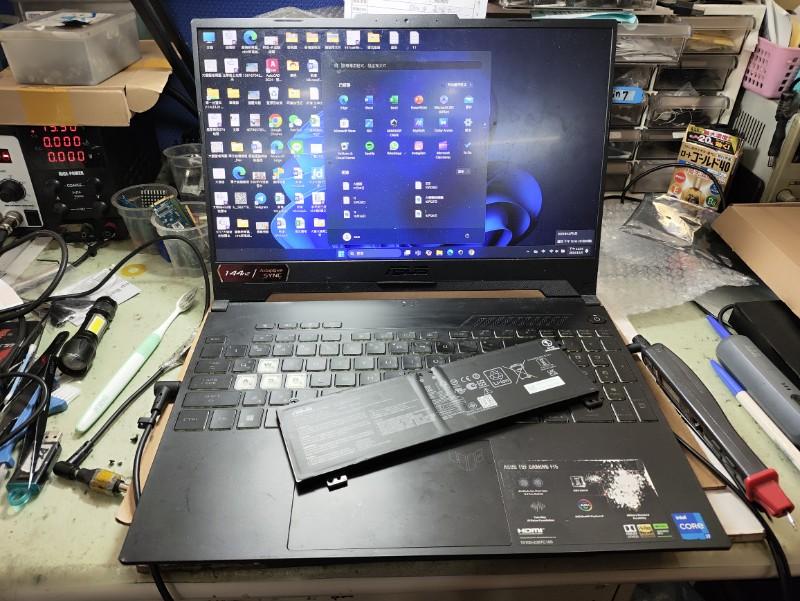
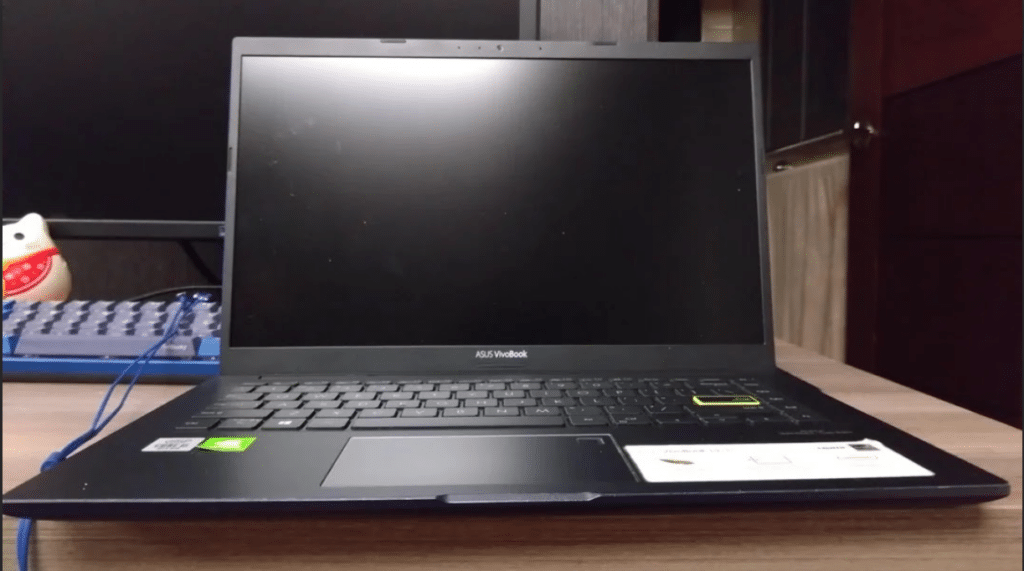
Experiencing a laptop Asus black screen can be frustrating, especially when the laptop appears to power on but nothing shows on the display. Many users notice situations where the keyboard lights turn on or the fan starts spinning, yet the Asus laptop screen stays black and the system appears unresponsive.
In our experience repairing Asus laptops at IndiRepair, black screen issues are quite common, especially in devices that appear to power on but show no display. In many cases, the issue is related to display components like the screen panel or backlight, but we also frequently diagnose problems related to graphics drivers or internal hardware.
Understanding the possible causes behind a laptop screen black Asus situation can help you diagnose the issue correctly and determine whether basic troubleshooting can fix the problem or whether professional repair may be required.
Why Is My Asus Laptop Screen Black?
When users experience an Asus laptop black screen, the issue usually falls into three main categories: display-related problems, graphics issues, or system hardware failures.
For the laptop display to work correctly, the graphics processor (GPU) must send signals through the display cable to the screen panel, which is illuminated by the backlight. If any part of this chain fails, the screen may appear completely black.
1. Display Driver Crash
A graphics driver crash is one of the most common causes of laptop screen black Asus problems. When the graphics driver fails to load correctly, the operating system may start but fail to send display signals to the screen.
This can happen due to:
a. Driver conflicts.
b. Windows updates.
c. Corrupted graphics drivers.
This is especially common after Windows updates, where driver compatibility issues can prevent the display from loading properly. In many cases, restarting the graphics driver can temporarily resolve the Asus laptop black screen issue.
2. Faulty LCD Panel
If the display panel itself fails, the laptop may continue running while the screen remains completely blank. A damaged screen panel is common hardware cause of Asus black screen problems.
Typical signs include:
a. Laptop powers on normally.
b. The external monitor works correctly.
c. The internal screen remains black.
In real-world repair cases, panel failure often starts with minor issues like flickering or dim display before progressing to a completely black screen.
3. Backlight Failure
Sometimes the display is technically working but the screen illumination stops functioning. When the backlight fails, the display may appear completely black even though images are still present.
In many older Asus laptops, backlight failure is a common issue and may occur gradually before the screen turns completely black. Users experiencing a black screen on laptop Asus may notice faint visuals when shining a flashlight on the screen, which confirms a backlight issue.
4. Loose or Damaged Display Cable

The internal cable connecting the motherboard to the screen can loosen over time due to frequent opening and closing of the laptop lid.
When this happens, users may notice symptoms as:
a. Flickering before the Asus laptop screen stays black.
b. Display working at certain angles.
c. Intermittent screen failures.
We often notice this issue in laptops where the hinge area has worn out over time, affecting the internal cable connection. In these situations, the cable connection may require repair or replacement.
5. RAM Issues
Loose or malfunctioning RAM modules can prevent the system from completing the boot process. When the system fails to initialize properly, it may appear as though the laptop screen black Asus problem is caused by the display, even though the underlying issue is related to memory.
RAM (Random Access Memory) plays a critical role in system startup, and even slight misalignment can prevent the display from initializing.
6. Windows Boot Failure
Operating system issues can sometimes cause the screen to remain black during startup. This usually occurs when system files become corrupted or when updates fail to install correctly.
Users may notice the Asus laptop black screen appearing after the Asus logo or during the windows loading process.
This usually occurs when system files become corrupted, preventing the operating system from loading correctly after startup.
7. GPU or Motherboard Problems
More serious hardware failure can also cause a persistent Asus black screen.
Possible causes include:
a. Graphics processor failure.
b. Motherboard display circuit damage.
c. Internal power distribution issues.
In such cases, diagnosing a black screen on laptop Asus typically requires professional inspection. In more serious cases, failure of the graphics processing unit (GPU) or motherboard circuits can completely prevent the display from working.
How to Fix Asus Laptop Black Screen
Before assuming a hardware failure, several troubleshooting steps can help determine the causes of an Asus laptop black screen.
Method 1: Perform a Hard Reset
A hard reset can sometimes resolve temporary system glitches.
Steps:
a. Turn off the laptop completely.
b. Disconnect the charger.
c. Remove external devices.
d. Press and hold the power button for 30 seconds.
e. Reconnect the charger and try turning the laptop on again.
This process can sometimes resolve minor problems causing the Asus laptop screen stays black.
Method 2: Restart the Graphics Driver
If the system is running but the display is not responding, restarting the graphics driver may help.
Press the following keys:
a. Windows + Ctrl + Shift + B
This command resets the graphics driver and may restore the display when facing a screen black Asus situation. You may hear a beep or notice a slight screen flicker when the driver resets.
Method 3: Check if the Laptop Is Actually Running
Steps:
a. Press the Caps lock or Num Lock key.
b. Check if the fans are on
If the keyboard light toggles, the system is still running, which means the Asus laptop black screen is likely related to the display rather than a full system failure.
Method 4: Perform the Flashlight Test
Shine a flashlight directly at the screen.
If faint icons or desktop elements are visible, the display backlight may have failed, which is a common cause of Asus black screen problems.
Method 5: Boot the Laptop in Safe Mode
Safe Mode starts Windows with only essential drivers and service. This helps determine whether the Asus laptop screen black problem is caused by software or hardware.
Steps:
a. Press Windows+ R
b. Type msconfig and press Enter.
c. Go to the Boot tab.
d. Check the option Safe Boot.
e. Select Minimal.
f. Click Apply and OK.
g. Restart the laptop.
The laptop will boot directly into safe mode, if the display works in Safe Mode, the issue is likely caused by a graphics driver or software conflict.
Method 6: Test with an External Monitor
This test helps determine whether the Asus screen black is coming from the screen itself or from the graphics hardware.
Steps:
a. Connect the HDMI cable from the laptop to the external monitor.
b. Turn on the external monitor
c. Turn on the laptop
d. Once Windows loads, press Windows + P.
e. Select Duplicate or Extend display.
If:
a. External monitor works → internal screen issue.
b. External monitor also black → GPU or motherboard issue.
This test is useful for diagnosing persistent asus laptop screen stays black problems.
Signs Your Asus Laptop Needs Professional Repair
If troubleshooting steps do not resolve the issue, the Asus laptop black screen may be caused by hardware failure.
Common warning signs include:
a. Laptop powers on but the display never appears.
b. The screen remains black even during BIOS startup.
c. The external monitor works but the internal display does not.
d. The screen flickered before going completely black.
e. Laptop shuts down during startup.
These symptoms usually indicate that the issue is hardware-related rather than software.
Why Choose IndiRepair for ASUS Laptop Black Screen Issues
A black screen issue on an ASUS laptop can occur due to several reasons, including display failure, graphics-related problems, motherboard faults, RAM issues, power supply failure, or loose internal connections. In many cases, the laptop may power on while the screen remains completely blank, making proper technical diagnosis essential before attempting any repair.
At IndiRepair, every ASUS laptop undergoes a detailed inspection process to identify the exact cause of the black screen issue before recommending any repair solution. The diagnosis includes testing the display panel, RAM, graphics output, motherboard circuitry, power delivery components, and internal display connections to accurately determine whether the issue is software-related or caused by hardware failure.
For repairs and replacements, only tested and specification-compatible components are used that match the laptop’s original performance and display standards. This is especially important for ASUS gaming, creator, and OLED laptops where display quality, graphics stability, and thermal performance directly impact the user experience.
Whether the issue involves a completely blank screen, black screen after startup, display failure after logo boot, flickering before blackout, or no display with power lights on, IndiRepair focuses on providing reliable long-term repair solutions instead of temporary fixes.
With transparent communication, experienced technicians, quick turnaround times, and pickup and drop support, IndiRepair aims to make ASUS laptop repairs smooth, dependable, and hassle-free for users facing startup and display-related issues.
Frequently Asked Questions
Q: Why is my Asus laptop screen black but the keyboard lights are on?
A: When the keyboard lights are on but the display is blank, the system is usually running but the screen is not receiving or displaying video output. This can happen due to display cable issues, graphics driver crashes, or screen panel failure.
Q: Why does my Asus laptop turn on but the screen stays black?
A: This situation is commonly caused by driver problems, RAM issues, or display hardware faults. Running diagnostic steps such as restarting the graphic drivers or connecting an external monitor can help identify the cause.
Q: How do I fix an Asus laptop black screen?
A: Basic troubleshooting steps include performing a hard reset, restarting the graphics drivers, disconnecting external devices, and testing the laptop with an external monitor.
Q: Can RAM issues cause a black screen on a laptop?
A: Yes, if the RAM is loose or malfunctioning, the system may fail to complete the boot process, which can result in a black screen during startup
CONCLUSION
Experiencing a laptop asus black screen can be concerning, especially when the device appears to power on but the display remains blank. In many cases, issues such as graphics driver crashes, temporary system glitches, or display configuration problems can cause the asus laptop screen stays black and may be resolved through basic troubleshooting.
However, if the asus laptop black screen continues after trying steps such as restarting the graphics driver, performing a hard reset, or connecting an external monitor, the problem may be related to hardware components such as the display panel, backlight, RAM, or motherboard. Understanding the possible causes behind a black screen on laptop asus devices helps narrow down the issue and determine the appropriate solution.
By following the diagnostic steps outlined above, you can identify whether the laptop screen black asus issue can be fixed with simple troubleshooting or whether professional repair may be required to restore the laptop’s display functionality.
If you are unsure about the exact cause, getting a professional diagnosis can help avoid unnecessary repairs. At IndiRepair, we specialize in diagnosing and fixing Asus laptop display issues with quick turnaround time and reliable service.
Written by Khan Rahil, a diploma holder in Computer Hardware with over 5 years of hands-on experience in laptop repairs and Senior Technician at IndiRepair. He has personally handled hundreds of Asus screen replacements, specializing in precise compatibility checks and quality installations.