
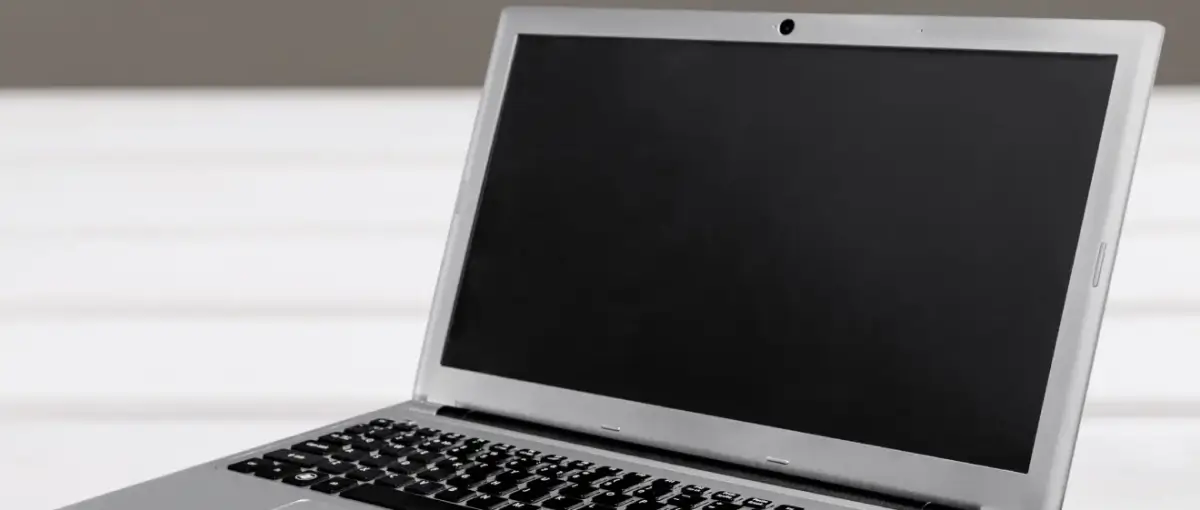
When your HP laptop powers on but the screen stays black, it can instantly create panic. Users often describe this issue in different ways – hp laptop screen not turning on, hp laptop screen will not turn on, or hp laptop display not turning on. In most cases, the laptop itself is running, but the display fails to show anything.
The important thing to understand is this: a screen not turning on does not always mean the screen is dead, though in some cases an HP laptop screen replacement The issue could be related to power, software, storage, or even the motherboard. This guide follows a clear, step-by-step diagnostic flow so you can identify what’s actually wrong and avoid unnecessary repairs.
At IndiRepair, we’ve handled over 200 HP screen-related issues in the past year alone, with many resolved through targeted diagnostics like the ones outlined here, drawing from our hands-on repair experience in Mumbai.
Common Symptoms When HP Laptop Screen Will Not Turn On
Before starting troubleshooting, it’s important to clearly identify what your HP laptop is actually doing. Many users say the HP laptop screen is not turning on, but the underlying symptom can vary – and each variation points in a different direction.
1. HP Laptop Turns on But Screen Is Black
In this case, the power light turns on and you may hear the fan running, but the screen remains entirely black with no logo or glow. This usually means the laptop is receiving power, but the display is not initializing properly, which indicates a motherboard short circuit.
2. HP Keyboard Lights On but No Display
Here, the laptop clearly shows signs of life – keyboard backlight, charging light or fan noise – yet the screen shows nothing at all. Users often describe this as the HP laptop display not turning on even though the device is active. This also indicates a motherboard short circuit needing a motherboard repair.
3. HP Laptop Stuck On HP logo Screen
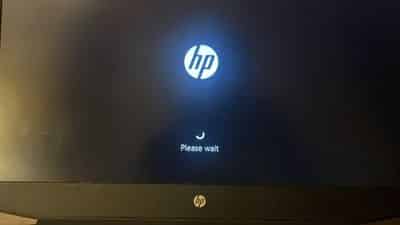
The HP logo appears, confirming that the screen itself is working, but the system does not proceed further. It may freeze on the logo, load endlessly, or restart repeatedly. This symptom is commonly mistaken for a screen issue when it is related to the booting device issue, that is the HDD/ SSD (wherever the OS is installed) is failing.
4. Screen Has No Backlight but Faint Image
If you shine a flashlight closely at the screen and notice a dim image, the display panel is technically working but the backlight is not. Users often refer to this as HP screen not turning on issue, even though the image is present without illumination. This indicates a display issue and often requires an HP display screen replacement.
Troubleshooting When HP Laptop Screen Not Turning On
Why won’t my HP laptop screen turn on? Let’s dive into practical steps based on common fixes we’ve applied successfully at IndiRepair
Step 1: Perform a Hard Reset

a. Turn off the HP laptop completely.
b. Disconnect the charger and remove the battery (if removable).
c. Press and hold the power button for 20-30 seconds.
d. Reconnect the charger (and battery) and power the laptop on.
What it tell us:
a. If the screen turns on, the issue is temporary.
b. If the HP screen is not turning on, the problem continues, move to Step 2.
Step 2: Check Brightness, Backlight & External Display Output
a. Increase screen brightness using the keyboard shortcuts.
b. Shine a flashlight closely at the screen to check for a faint image.
c. Connect the laptop to an external monitor or TV using HDMI or VGA.
What it tells us:
a. If the external display works fine, your display is an issue and needs an HP screen replacement.
b. If the external display also shows nothing it’s a motherboard issue which needs a motherboard repair.
Step 3: Boot Into BIOS
a. Restart the laptop.
b. Press F10 or ESC repeatedly during startup to enter BIOS.
c. Observe the screen carefully.
What this tells us:
a. If the screen is visible in BIOS, it’s a Windows or software-related problem.
b. The screen remains black in BIOS, it’s either a screen issue or a motherboard issue.
What to Do If HP Laptop Screen Still Does Not Turn On
An HP display replacement would be required if the display does not show anything in BIOS, the backlight has failed, or physical damage is confirmed.
HP screen replacement cost for all models can be found below:
Envy HP screen replacement Cost
Omen HP Screen Replacement Cost
Spectre HP Screen Replacement Cost
Pavilion HP Screen Replacement Cost
ProBook HP Display Replacement Cost
EliteBook HP Display Replacement Cost
Chromebook HP Display Replacement Cost
If the HP laptop screen will not turn on past the HP logo, storage replacement that is an HDD or SSD is often the correct solution.
If there is no display output anywhere despite all checks, it indicates a motherboard short circuit needing a professional motherboard repair.
CONCLUSION
When an HP laptop screen is not turning on it disrupts your work, guessing the cause can lead to expensive mistakes. By following a structured, symptom-based approach you can identify whether the issue lies with the screen, storage, or motherboard.
If none of the steps resolve the problem, a professional diagnosis ensures the right repair is done – restoring your laptop safely and efficiently.
At IndiRepair, we replace HP laptop screens within 24 hours using original screens, along with free pickup and drop service in Mumbai. We also offer HDD/SSD upgrades and reliable motherboard repair services.
Written by Khan Rahil, a diploma holder in Computer Hardware with over 5 years of hands-on experience in laptop repairs and Senior Technician at IndiRepair. He has personally handled hundreds of HP screen replacements, specializing in precise compatibility checks and quality installations.