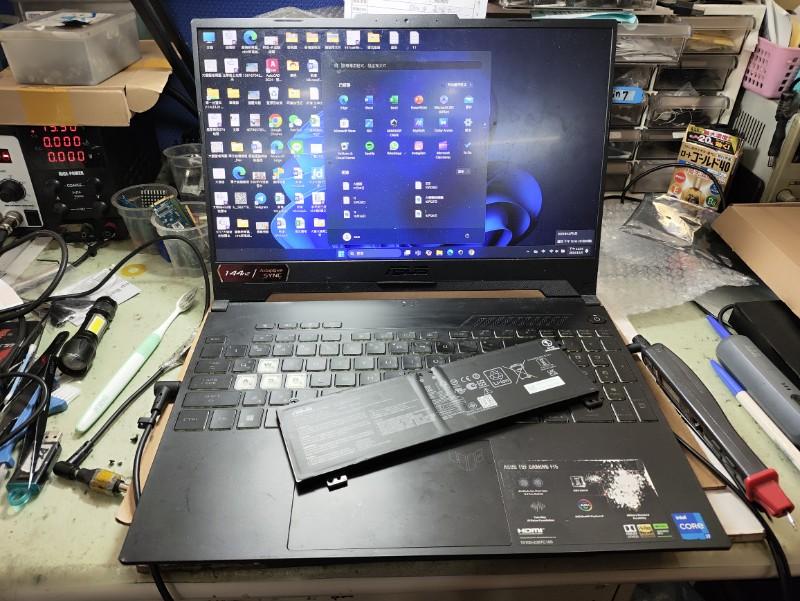
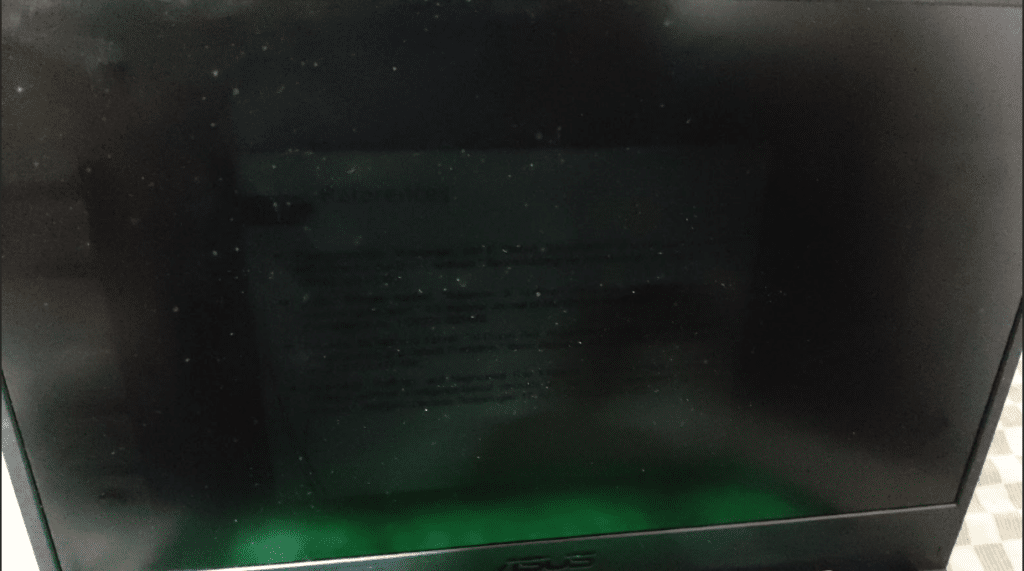
If you’re dealing with an Asus laptop dim screen, it can make everyday tasks like working, browsing, or watching content extremely difficult. In many cases, users notice that the brightness is too low even at maximum levels, or the Asus laptop screen dim issue persists despite adjusting settings.
An Asus laptop screen may appear dim due to low brightness settings, adaptive brightness features, graphics driver issues, or hardware problems like backlight failure or display panel degradation. If the screen remains dim even at full brightness, the issue is usually hardware-related and may require professional repair.
Why Is My Asus Laptop Screen Dim?
When an Asus laptop dim screen issue occurs, it typically falls into 3 main categories, software issues, display-related issues, sensor issues.
For brightness to function properly, the operating system, graphics driver, and display hardware must work together. The system sends brightness commands through the graphics driver, which controls the display panel and its backlight. If any part of this chain fails, the screen may appear dim.
1. Low Brightness Settings
Sometimes the issue is as simple as reduced brightness settings or aggressive battery-saving configurations. Power saver mode can limit brightness to extend battery life, which may make the Asus laptop’s dim screen appear worse than it actually is.
2. Adaptive Brightness Enabled
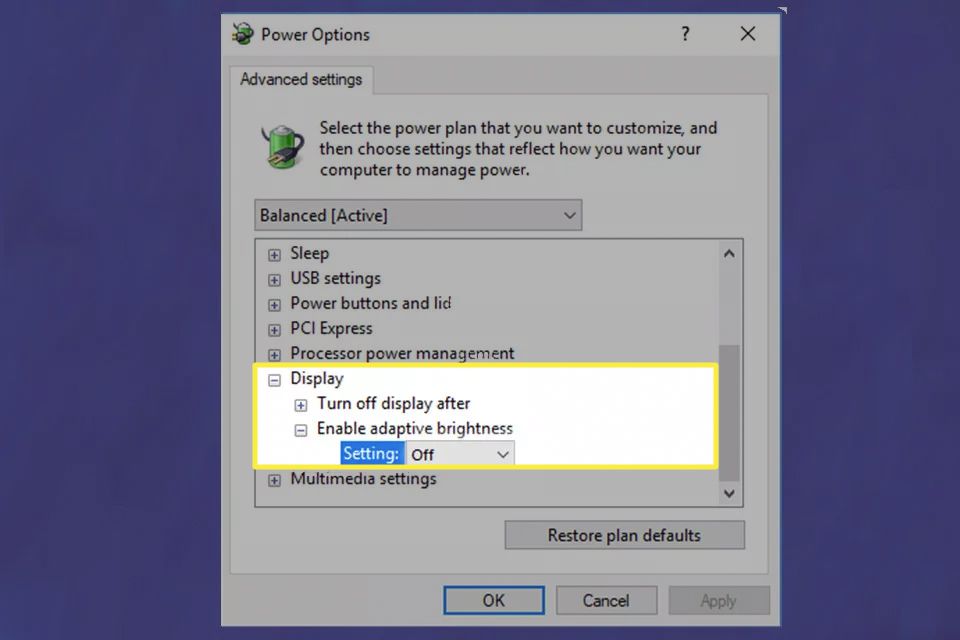
Adaptive brightness automatically adjusts screen brightness based on ambient lighting conditions. While useful, it can sometimes make the asus laptop screen dim unexpectedly especially indoor lighting.
3. Graphics Driver Issues
Outdated or corrupted graphics drivers can interfere with brightness controls. In such cases, users may find that the brightness slider does not respond, leaving the asus laptop screen very dim regardless of adjustments.
4. Backlight Weakening or Failure
In real repair cases, dim screen issues caused by backlight failure usually start gradually. Users often notice slightly reduced brightness at first, which worsens over time until the screen becomes very difficult to see.
The backlight is responsible for illuminating the display. If it starts to fail, the screen may still show content but appear very dark. This is one of the most common hardware causes of an asus laptop dim screen.
5. Faulty Display Panel
Over time, the display panel itself can degrade, leading to dull or uneven brightness. This can result in a persistent Asus laptop screen dim issue even when other components are functioning normally.
6. Loose or Damaged Display Cable
A loose internal display cable can affect how brightness signals are transmitted. In some cases, this may cause both flickering and a Asus laptop screen very dim condition.
This issue is commonly seen in laptops with frequent hinge movement, where the internal cable wears out over time due to repeated opening and closing.
How to Fix Asus Laptop Dim Screen
Before assuming a hardware issue, try these troubleshooting steps to fix the Asus laptop dim screen problem.
Method 1: Increase Brightness Manually
Steps:
a. Use keyboard brightness keys.
b. Adjusting brightness in system settings.
Sometimes the issue is simple due to incorrect settings.
Method 2: Disable Adaptive Brightness
Steps:
a. Open Control Panel.
b. Go to Power Options.
c. Select “Change advanced power settings”.
d. Turn off adaptive brightness.
Method 3: Adjust Power Plan Settings
Steps:
a. Press Windows + S and search for Control Panel
b. Open Control Panel
c. Click Change advanced power settings.
d. Scroll down and expand → Display
e. Look for: Display brightness & Dimmed Display Brightness
f. Set both values to higher levels (especially for On battery)
g. Click Apply → OK.
Method 4: Update Graphics Drivers (Step-by-Step)
Steps:
a. Press Windows + X
b. Click on Device Manager
c. Expand Display adapters
d. You will see your graphics card.
e. Right-click on it → click Update driver
f. Select Search automatically for drivers
g. Wait for Windows to check and install updates.
h. Restart your laptop.
Method 5: Check Display In BIOS
This is one of the most powerful diagnostic tests for an Asus laptop dim screen.
Steps:
a. Completely shut down your laptop
b. Press the power button.
c. Immediately start pressing the F2 key repeatedly
d. You will enter the BIOS/UEFI screen
If the screen is still dim in BIOS it is a hardware issue, if the brightness looks normal in BIOS it’s a driver issue.
Method 6: Test with an External Monitor
This test helps determine whether the Asus screen dim is coming from the screen itself or from the graphics hardware.
Steps:
a. Connect the HDMI cable from the laptop to the external monitor.
b. Turn on the external monitor
c. Turn on the laptop
d. Once Windows loads, press Windows + P.
e. Select Duplicate or Extend display.
If:
a. External monitor works → internal screen issue.
b. External monitor also black → GPU or motherboard issue.
This test is useful for diagnosing persistent Asus laptop screen stays dim problems.
Why Choose IndiRepair for ASUS Laptop Dim Screen Issues
A dim screen issue on an ASUS laptop can occur due to several reasons, including incorrect brightness settings, adaptive brightness features, graphics driver conflicts, backlight failure, loose display connections, or motherboard-related hardware faults. In many cases, the screen may appear unusually dark even at maximum brightness settings, affecting productivity and overall viewing comfort.
At IndiRepair, every ASUS laptop undergoes a detailed diagnostic process to identify the exact reason behind the dim display issue before any repair is recommended. The inspection includes checking the display panel, backlight functionality, graphics drivers, motherboard power delivery, display cable connections, and brightness control settings to accurately determine the root cause of the problem.
For screen repairs and replacements, only tested and specification-compatible display panels are used that match the laptop’s original resolution, brightness levels, panel quality, and color accuracy. This is especially important for ASUS laptops with OLED displays, creator-focused screens, or gaming panels where visual clarity and brightness consistency directly impact the user experience.
Whether the issue involves low brightness, uneven lighting, flickering brightness, dim display on battery power, or complete backlight failure, IndiRepair focuses on providing reliable long-term repair solutions instead of temporary fixes.
With transparent communication, experienced technicians, quick turnaround times, and pickup and drop support, IndiRepair aims to make ASUS laptop screen repairs smooth, reliable, and hassle-free for users.
Frequently Asked Questions - FAQs
Q:Why is my Asus laptop screen so dim even at full brightness?
A: If your Asus laptop dim screen persists even at 100% brightness, the issue is usually not related to settings. In most cases, this indicates a hardware problem such as a weakening backlight or a faulting display panel.
Q: Why does my Asus laptop screen dim when unplugged?
A: This usually happens due to power-saving settings that automatically reduce brightness when the laptop is running on battery. Disabling battery saver brightness reduction, adjusting your power plan, or turning off adaptive brightness can resolve the issue.
Q: How do I know if my ASUS laptop dim screen is a hardware problem?
A: You can identify a hardware issue by running a few simple checks. If the screen is dim in BIOS, if the brightness does not improve after reinstalling graphics drivers, or if an external monitor works normally while the laptop screen remains dim, the issue is likely hardware-related. In such cases, the Asus laptop screen very dim problem is usually caused by backlight or display panel failure.
Q: Can a backlight issue cause a dim screen on ASUS laptops?
Yes, a failing backlight is one of the most common causes of a dim screen. The backlight is responsible for illuminating the display, and when it weakens or fails, the screen may still show content but appear very dark. This often leads to a persistent dim screen issue that gradually worsens over time.
Q: Can a backlight issue cause a dim screen on ASUS laptops?
Yes, a failing backlight is one of the most common causes of a dim screen. The backlight is responsible for illuminating the display, and when it weakens or fails, the screen may still show content but appear very dark. This often leads to a persistent asus laptop dim screen that gradually worsens over time.
CONCLUSION
An asus laptop dim screen issue can range from simple configuration problems to more serious hardware failures. In many cases, adjusting brightness settings, disabling adaptive brightness, or updating graphics drivers can resolve the issue and restore normal display visibility.
However, if the asus laptop screen dim problem persists even after trying these fixes, it may indicate underlying hardware issues such as backlight failure or display panel degradation. When the Asus laptop screen’s very dim condition continues despite troubleshooting, it is usually a sign that professional diagnosis is required.
Understanding the possible causes and following the right troubleshooting steps helps you determine whether the issue can be fixed easily or whether it needs expert repair to restore proper screen brightness.
Written by Khan Rahil, a diploma holder in Computer Hardware with over 5 years of hands-on experience in laptop repairs and Senior Technician at IndiRepair. He has personally handled hundreds of Asus screen replacements, specializing in precise compatibility checks and quality installations.