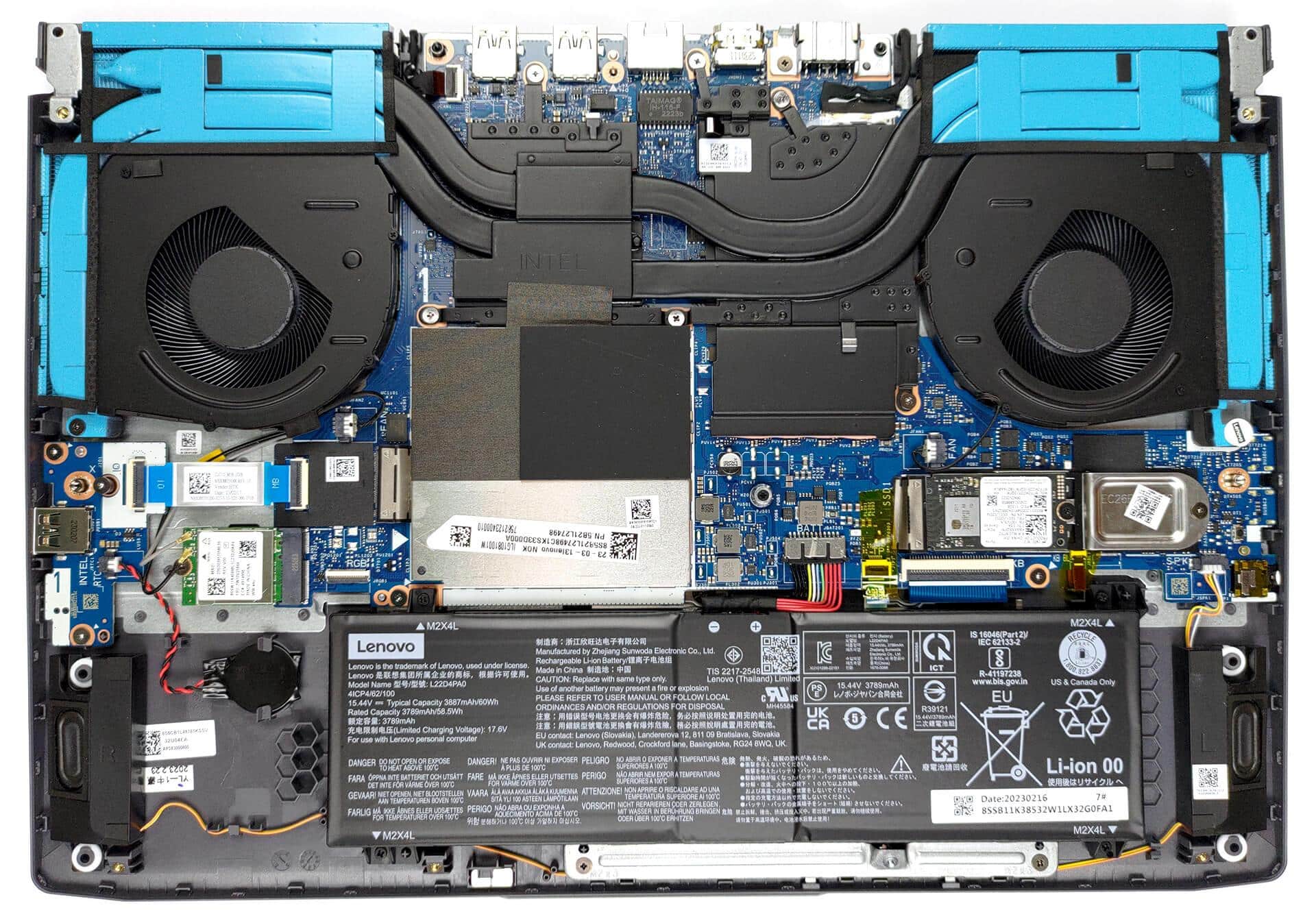
Rapid battery drain, unexpected shutdowns, charging failure, or a laptop that works only while plugged in can make replacement seem necessary. However, these symptoms do not always confirm a battery fault. The Lenovo LOQ battery replacement cost depends on the exact laptop size and design, battery capacity, part number, replacement quality, availability, and installation requirements.
There is no verified fixed price available here for every configuration. Visually similar LOQ laptops may use different battery assemblies, so a reliable quote requires the complete model identifier and compatible battery details. It should also distinguish the battery-only price from the total installed cost.
LOQ battery replacement cost by model
Use the model and generation breakdown below to compare battery replacement estimates.
| Model / generation | Estimated replacement cost | Price basis |
|---|---|---|
| Lenovo LOQ 15 Series | ₹4,500–₹6,500 | Price basis needs confirmation |
| Lenovo LOQ 16 series | ₹4,500–₹7,500 | Price basis needs confirmation |
| Lenovo LOQ 17 Series | ₹5,000–₹7,000 | Price basis needs confirmation |
Lenovo LOQ 15 Series battery Cost
- Lenovo LOQ 15 Series: ₹4,500–₹6,500
Lenovo LOQ 16 series battery cost
- Lenovo LOQ 16 series: ₹4,500–₹7,500
Lenovo LOQ 17 Series battery cost
- Lenovo LOQ 17 Series: ₹5,000–₹7,000
Confirm the exact model, generation and compatible part before relying on a quotation. No price is inferred across different models or generations.
Why Does Lenovo LOQ Battery Replacement Cost Vary?
The final quote is for a specific compatible battery and the work needed to install it—not simply for a laptop carrying the LOQ name. Comparing two quotations is useful only when their part details and service scope match.
- Laptop size and internal design: The chassis layout can affect battery fit and access. Screen size alone does not identify the correct battery.
- Capacity and battery assembly: The replacement must be suitable for the exact configuration. A different capacity is not automatically an approved upgrade.
- Part number and physical fit: The connector arrangement, mounting points, and specified electrical requirements must match the laptop.
- Battery origin and quality: A documented original battery, a clearly identified compatible replacement, and an unverified listing are not equivalent offers.
- Availability: Stock status and sourcing requirements can affect both the quotation and the expected sourcing time.
- Service scope: Identification, removal, installation, inspection, and post-installation checks may be included or charged separately. Additional faults require a separate explanation.
For help discussing the correct part and replacement scope, see the Lenovo laptop battery replacement service page. A useful enquiry includes your full model identifier rather than just “LOQ battery price.”
How to Identify the Exact Lenovo LOQ Model and Compatible Battery
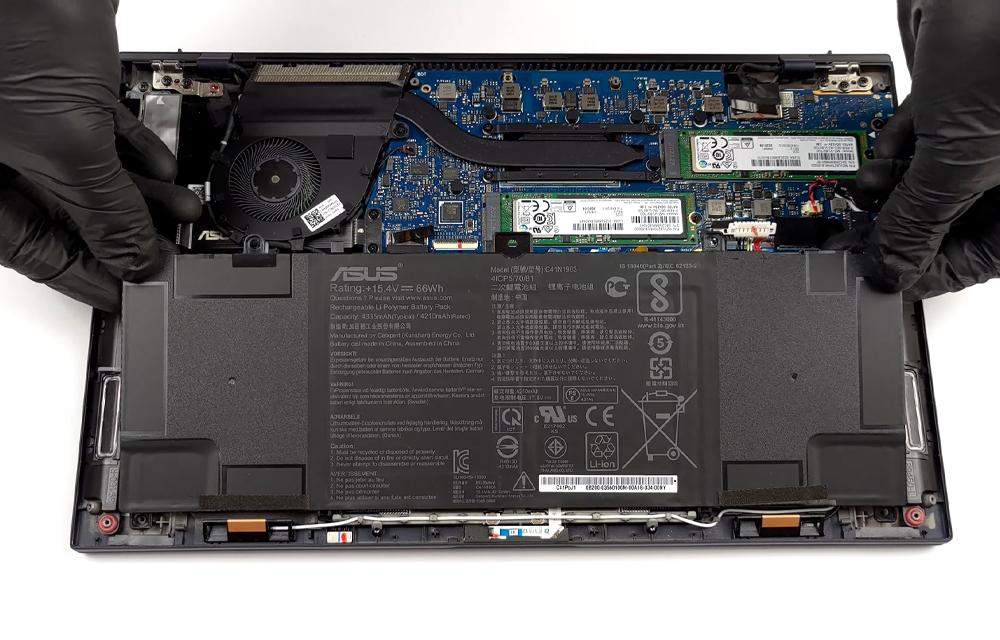
The full device identifier and battery part number are more useful than the family name. Identification can usually begin with external labels and existing documentation; opening the laptop solely to obtain a quote is not necessary.
External Model Identification
- Find the device label. Check the underside of the laptop or its original product documentation for the model or machine-type information.
- Record the complete identifier. Include any suffixes shown. A shortened product name may leave out details needed to identify compatible parts.
- Compare it with the quotation or listing. If the seller names only the broad LOQ family, request confirmation for your complete identifier before ordering.
- Use an existing battery-label photograph where available. If a technician already has the laptop safely open, ask for a clear label and connector-area photograph. Do not touch or reposition the battery for a picture, particularly if it appears damaged.
System Information and Battery Label Verification
- Review the device information available in your operating system or Lenovo system information. Compare the reported model with the external label. Resolve any mismatch before buying a part.
- Note battery identification details where available. A battery report may show a name or identifier, but it may not provide the complete replacement part number. Treat software information as supporting evidence.
- Have compatibility checked against the installed assembly. The part number or documented replacement equivalent, connector, mounting arrangement, and electrical requirements need confirmation. Use official Lenovo documentation when exact part compatibility is unclear.
- Request explicit confirmation from the provider. Ask them to match the proposed battery to your device identifier and available label photograph, rather than relying on a similar product image.
A readable battery label helps establish what is installed. It does not, by itself, prove that an advertised replacement is genuine or suitable.
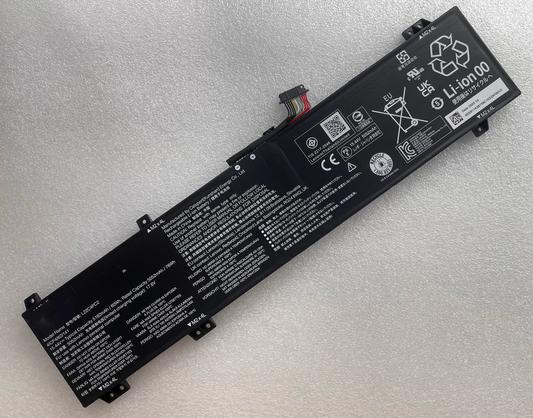
Product photographs are useful for identification, but appearance alone cannot establish compatibility. Keep the written part description with the quotation so the proposed replacement is clear.
Battery Quality, Availability, and What a Quote Should Include
An original Lenovo battery should have a verifiable identity and sourcing information that supports the seller’s claim. A third-party compatible battery is an alternative product, not an original Lenovo part. Terms such as “manufacturer-compatible” describe a compatibility claim; they do not establish Lenovo approval or manufacturer backing.
Clear labels, traceable part details, appropriate physical condition, and documented suitability matter more than promotional wording. An unusually low Lenovo LOQ battery price is a reason to clarify what is being supplied—not automatic proof of poor quality. Equally, a higher price does not prove authenticity.
A complete quotation should make the following items clear:
- The proposed battery assembly, part number, and stated origin.
- How compatibility with your exact laptop is being confirmed.
- Whether removal of the old battery and installation are included.
- Whether battery recognition and basic charging checks are included after installation.
- Any separate inspection fees, taxes, delivery charges, or additional repair costs.
- Current availability, any sourcing conditions, and any written return or warranty terms offered by the supplier.
IndiRepair has completed 500+ laptop repairs and has practical experience diagnosing laptop problems. That experience is relevant to a cost decision because confirming the fault and the compatible part helps avoid paying for a replacement that does not address the underlying issue.
To discuss your laptop’s symptoms and the proposed replacement, book your Lenovo laptop battery replacement with IndiRepair.
Questions to Ask Before Approving the Replacement
- Which complete laptop identifier and battery part number does this quote cover?
- Is the battery being supplied as original Lenovo or as a third-party compatible replacement, and what supports that description?
- Does the total include installation and any applicable charges?
- Will battery recognition and charging be checked after installation?
- Could the quote change because of stock availability or additional damage, and will any change require my approval?
- What documentation or photographs are needed to confirm the part?
Safety and the Decision to Replace the Battery
A swollen, leaking, damaged, or unusually hot battery is not something to keep testing. Safety takes priority over comparing replacement prices.
- Stop using and charging the laptop if the battery appears swollen, leaks, or becomes unusually hot. Switch it off and disconnect external power only if safe to do so.
- Do not press on a bulging case, puncture or bend the battery, or attempt improvised battery repairs.
- Smoke, sparks, a burning smell, or extreme heat require you to stop handling the device and move away. Seek emergency assistance if there is a fire risk.
- Liquid exposure, exposed wires, melting, or a visibly damaged charger or port are reasons to stop powered checks and seek professional assessment.
For a laptop without these warning signs, the symptom still needs interpretation. Short runtime can reflect battery wear, but heavy workloads also increase power use. Working only on external power suggests that stored battery power is unavailable; it does not identify whether the fault is in the battery, its connection, or associated circuitry.
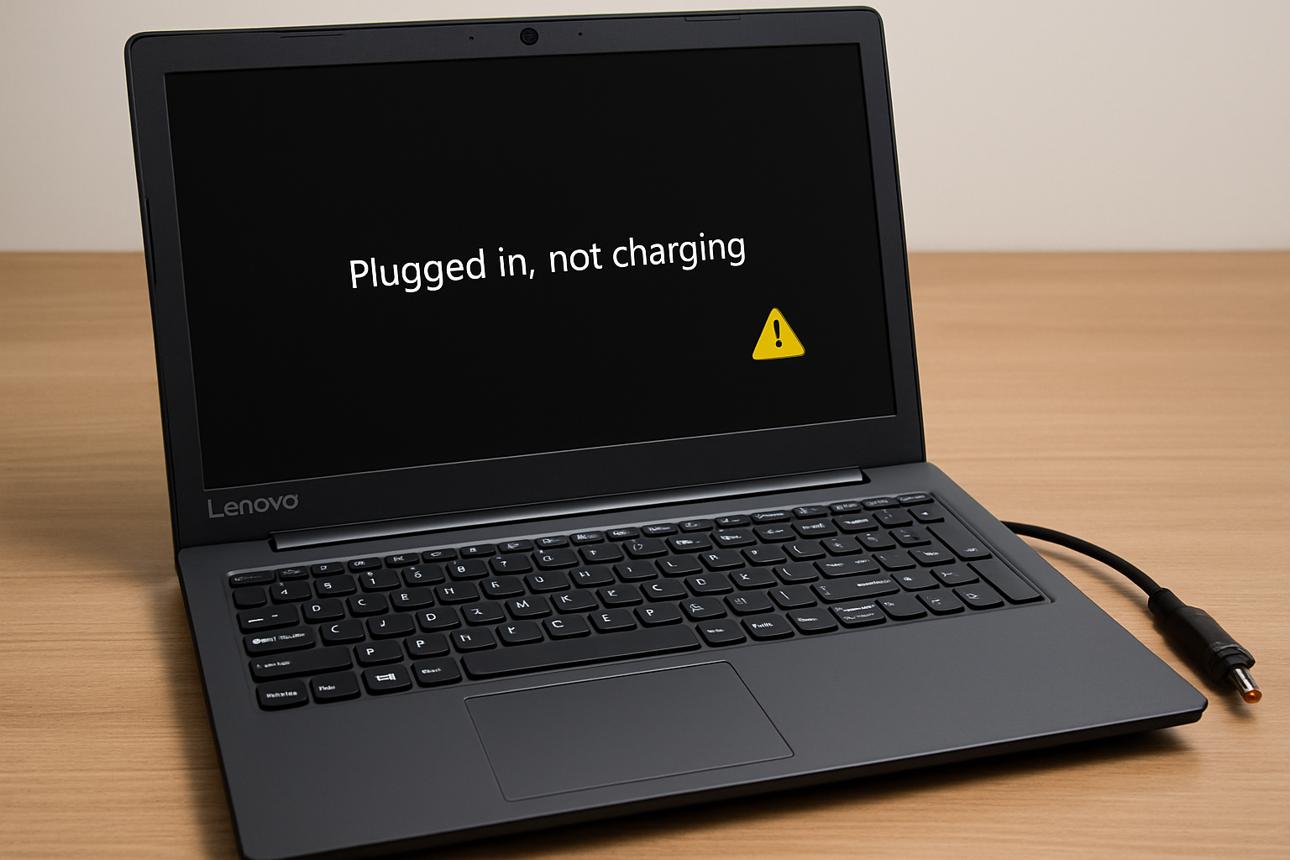
Similarly, charging failure or a missing battery indication can involve the charger, charging port, battery connector, motherboard, or battery itself. A replacement battery will not correct a defective charging path. Diagnosis should distinguish a battery that cannot hold usable charge from one that is not being charged or recognised correctly.
- Replacement is appropriate when the battery is confirmed defective and a suitable replacement assembly is identified. A defective or swollen pack should not be treated as a DIY cell-repair project.
- Further diagnosis is appropriate when battery detection is inconsistent, charging remains unstable, or damage may extend beyond the battery.
- A wider repair decision is appropriate when other components also need work. The full repair scope matters more than the battery-only price.
IndiRepair’s diagnostic experience is relevant here: symptoms are clues, not automatic proof that a particular component has failed. If the cause remains uncertain, get your Lenovo laptop battery checked by IndiRepair before approving a battery purchase.
When Professional Replacement Is the Safer Choice
- The battery is swollen, hot, damaged, or difficult to remove.
- The correct battery part number, replacement equivalent, or connector cannot be confirmed.
- There are signs of charging-port damage, motherboard trouble, or liquid exposure.
- You lack the tools or experience needed to handle internal laptop components safely.
Professional installation is especially useful when safe removal and fault assessment matter as much as finding a replacement part. The old battery should enter an appropriate battery or electronic-waste collection route, not household rubbish.
Lenovo LOQ Battery Replacement Cost FAQs
Q: Why does the Lenovo LOQ battery replacement cost vary between models?
A: Different configurations can require different battery assemblies, and the total also depends on sourcing and installation scope. Laptop size alone does not determine capacity, connector layout, or the correct part number. Two quotes may also differ because one covers only the battery while the other includes fitting and checks. The model cost section above is the reference point for model-specific pricing; any unconfirmed entry still needs a checked quotation. Compare the exact part description and total service scope before deciding which offer provides better value.
Q: How can I confirm the correct battery for my Lenovo LOQ laptop?
A: Confirmation requires the complete laptop identifier and the battery part number or a documented compatible replacement equivalent. The underside label and original documentation are useful starting points. Software information can support identification, but it may not show the full battery assembly details. The provider should confirm the physical fit, connector arrangement, and electrical requirements using appropriate documentation. You do not need to open the laptop just to request an initial quote; if internal label access is necessary, a technician can obtain it safely.
Q: Does battery quality affect the Lenovo LOQ battery price?
A: Yes, the battery’s origin, documented specifications, supplier terms, and quality can affect its price. However, price alone cannot verify quality or authenticity. An “original Lenovo LOQ battery” listing needs supporting part and sourcing details, while a compatible third-party product should be described accurately as such. Clear labels and an undamaged appearance are useful checks, but they cannot prove internal cell quality. A fair comparison considers compatibility, traceability, installation scope, and written supplier terms alongside the quoted amount.
Q: Is it safe to keep using a Lenovo LOQ with a swollen or unusually hot battery?
A: No. Stop using and charging it, switch it off, and disconnect external power if this can be done safely. Do not squeeze the case, attempt to flatten the battery, or try to remove a swollen pack yourself. Ordinary warmth during use is different from unusual heat accompanied by swelling, odour, leakage, or physical damage, but uncertainty is a reason to stop and obtain an assessment. If there is smoke, sparking, or a fire risk, move away rather than handling the laptop and seek emergency assistance.
Q: What information is needed to confirm a Lenovo LOQ battery replacement price?
A: The most useful details are the complete model or machine-type identifier, the installed battery part number if available, and a description of the symptoms. An existing clear battery-label photograph can help; opening the laptop yourself is not required. The quote also needs to specify whether it covers the battery alone or includes inspection, installation, and post-installation checks. If the fault has not been confirmed, the initial estimate may remain conditional until diagnosis establishes whether the battery or another component needs attention.
Q: How does battery availability affect the replacement quote?
A: Availability can change sourcing arrangements, the quoted amount, and when replacement can proceed. A listing does not necessarily mean the correct part is currently in stock. The quotation should identify the proposed battery and explain whether its price depends on supplier confirmation. If an alternative is suggested, it needs its own compatibility check rather than being accepted because it looks similar. Written confirmation of stock status, quote validity, and approval requirements for substitutions helps prevent misunderstandings without assuming a particular delivery or repair time.
Q: Does a stated capacity, such as a Lenovo LOQ 60Wh battery, guarantee compatibility with every Lenovo LOQ laptop?
A: No. Watt-hours describe stored energy capacity, not universal compatibility. A search for a Lenovo LOQ 60Wh battery price does not establish that the advertised battery fits your laptop or meets its electrical requirements. The part number or approved replacement equivalent, connector arrangement, dimensions, mounting points, and device compatibility still need confirmation. Matching capacity alone is insufficient, and a higher-capacity listing is not automatically a suitable upgrade. The replacement choice should follow exact-model documentation rather than a capacity-based search result.
Conclusion
The Lenovo LOQ battery replacement cost is meaningful only when it covers the correct battery for your exact laptop. Capacity, part number, quality, availability, and installation scope all affect the decision. A similar-looking battery or a vague family-level listing is not enough to approve a purchase.
When requesting a quote, share the complete model identifier, battery part number if available, and an existing clear label photograph. Keep swollen, damaged, or unusually hot batteries out of use, and seek diagnosis when charging symptoms could involve another component.
For Lenovo laptop battery replacement with IndiRepair, provide those details and ask for a compatibility-checked quotation with a clear service scope before approving replacement.
About the Author: Khan Rahil is a diploma holder in Computer Hardware with over 5 years of hands-on experience in laptop repairs and Senior Technician at IndiRepair. He has overseen hundreds of screen replacements, ensuring quality and customer satisfaction.