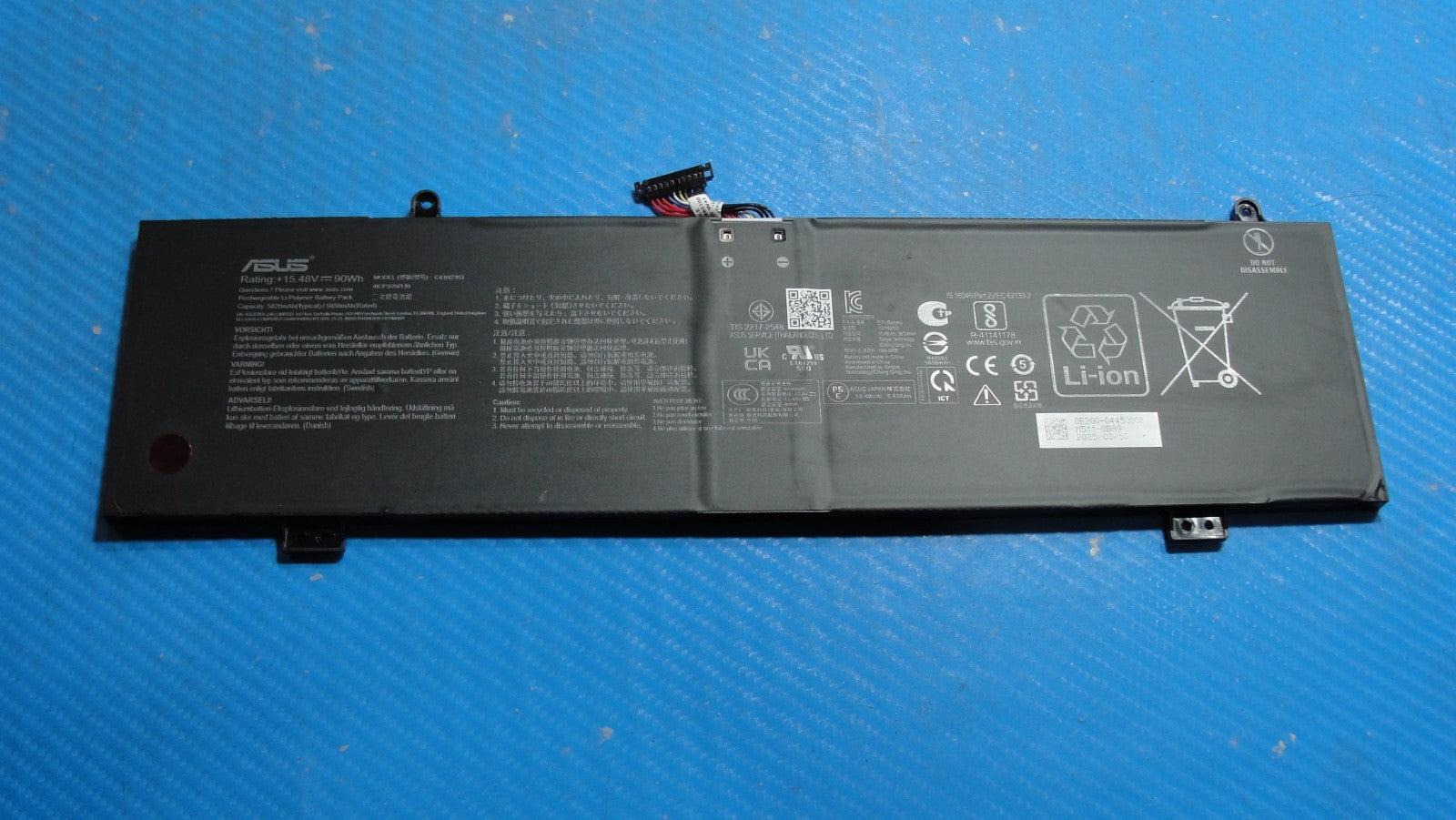
When an ASUS ProArt laptop has reduced unplugged runtime, shuts down unexpectedly, or needs a replacement battery, the first question is usually the ASUS ProArt battery replacement cost. A useful quote depends on the exact model and the compatible battery assembly, not only on the ProArt family name.
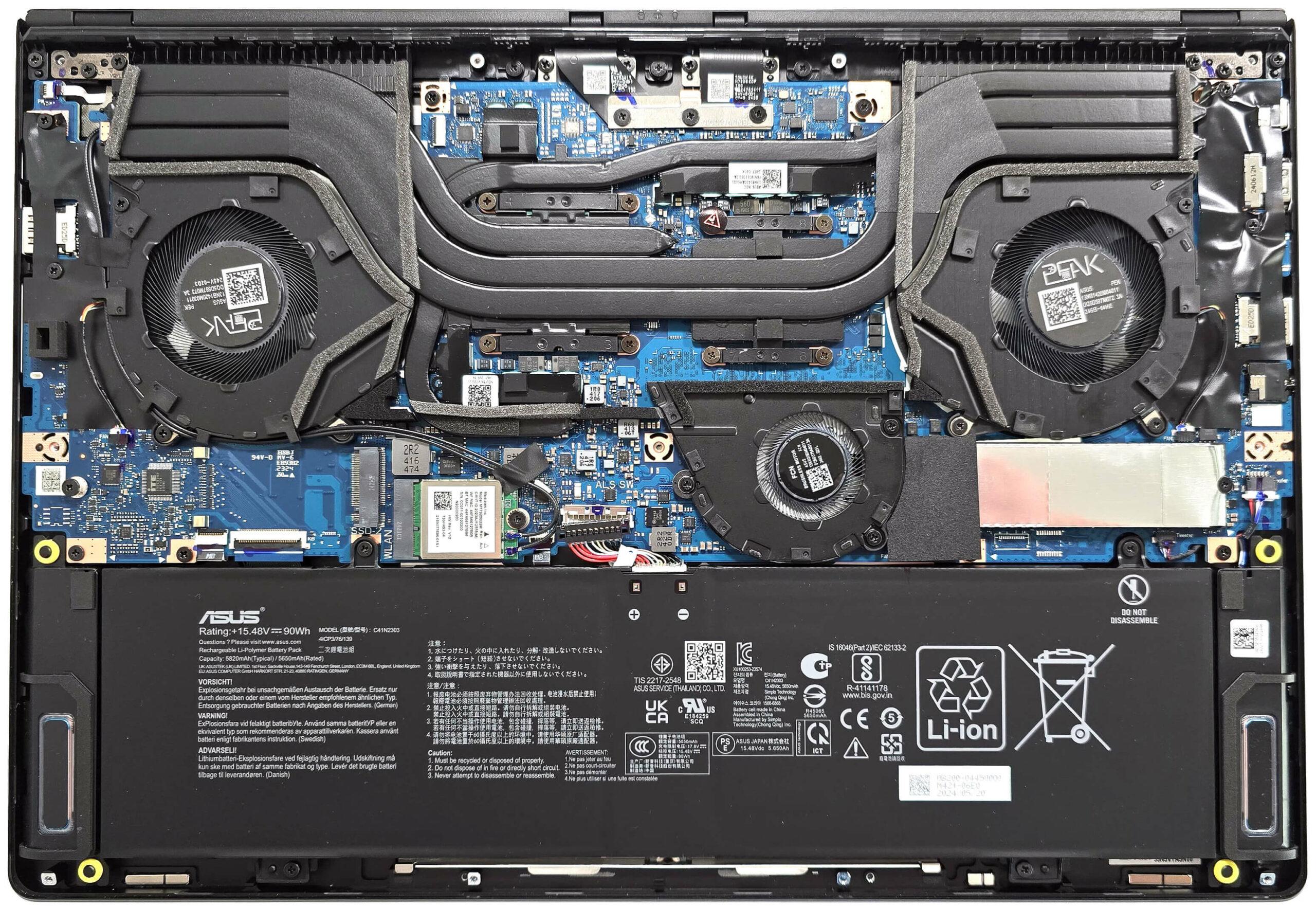
Battery assemblies can differ in their part identity, electrical requirements, connector arrangement, physical fit, and access requirements. This guide explains the current model-pricing status, the factors behind quotation differences, how to confirm compatibility, and when professional replacement is safer than continued use or DIY work.
For early guidance, you can review Asus laptop battery service after noting your full model or product code.
ProArt battery replacement cost by model
Use the model and generation breakdown below to compare battery replacement estimates. Battery replacement costs can vary depending on the exact model, generation, battery capacity, part number and replacement battery type.
ASUS ProArt laptops are available in different generations and configurations, so battery specifications and compatible battery part numbers can vary. The exact model number should be confirmed before ordering a replacement.
| Model / generation | Estimated replacement cost | Price basis |
|---|---|---|
| PX13 | ₹5,000–₹7,500 | Estimated India replacement cost |
| PZ13 | ₹4,500–₹7,000 | Estimated India replacement cost |
| P16 | ₹6,000–₹9,000 | Estimated India replacement cost |
| Studiobook 16 OLED | ₹6,000–₹9,000 | Estimated India replacement cost |
ASUS ProArt PX13 battery Replacement Cost
- PX13: ₹5,000–₹7,500, depending on the exact model, battery capacity and compatible part number.
ASUS ProArt PZ13 battery Replacement Cost
- PZ13: ₹4,500–₹7,000, depending on the exact model, battery capacity and compatible part number.
ASUS ProArt P16 battery Replacement Cost
- P16: ₹6,000–₹9,000, depending on the exact configuration, battery capacity and compatible part number.
ASUS ProArt Studiobook 16 OLED battery Replacement Cost
- Studiobook 16 OLED: ₹6,000–₹9,000, depending on the exact generation, battery capacity and compatible part number.
Confirm the exact model, generation and compatible part before relying on a quotation. Final pricing may vary based on battery availability, battery type and the specific configuration of your laptop.
Why ASUS ProArt Battery Replacement Quotes Vary
The battery component price and the total installed replacement quote are not always the same. A quotation may combine the compatible battery, labour, inspection, testing, taxes, logistics, and any separately approved work. The ProArt name alone is not enough to determine the ASUS ProArt battery replacement price.
Battery Assembly and Compatibility Factors
Before a battery is sourced, the provider should confirm that the part is intended for the exact device configuration. Important cost and compatibility inputs include:
- The battery part number and the exact device configuration it supports.
- Rated voltage and capacity, which describe electrical requirements and stored energy rather than interchangeable purchasing choices.
- Physical dimensions, mounting points, connector arrangement, and the battery assembly design.
- Access and disassembly requirements, which can only be confirmed properly after reviewing the exact device.
Original and Compatible Replacement Options
Readers searching for an ASUS ProArt original battery price should distinguish a documented genuine ASUS part from a third-party compatible replacement. Neither option should be assumed to be available without confirmation.
The word “original” in a listing is not, by itself, proof of authenticity. Before approving a part, ask for information that helps establish its suitability and traceability:
- Documented part identity and compatibility evidence.
- Supplier or sourcing details where available.
- Confirmation that the connector, fit, and electrical requirements match the device.
- Written warranty terms and the conditions that apply to the supplied part and installation.
With experience across 500+ laptop repairs, IndiRepair focuses on identifying the underlying fault and compatible part before recommending a replacement.
Book your Asus laptop battery repair with IndiRepair
How to Identify Your Exact Model and Compatible Battery
A family name or similar-looking battery is insufficient to confirm fit. The complete product code gives a service provider a better basis for checking the correct battery reference and preparing an ASUS ProArt battery price in India without relying on assumptions.
Device Details for a Compatibility Check
Use accessible information first. You do not need to open the laptop solely to find an internal battery label.
- Locate the full model or product code. Check an accessible device label, purchase paperwork, or available system information.
- Record the complete code. Do not provide only the marketing family name if a longer product identifier is available.
- Share identifying details privately. Provide the product details and any necessary serial information directly to the service provider rather than posting them publicly.
- Provide an existing battery-label photo if safely available. If the label is inside the device, leave internal identification to a technician instead of opening the laptop unnecessarily.
What Must Match Before a Battery Is Ordered
A supplier or technician should verify the following before ordering an ASUS ProArt replacement battery:
- The battery part number or a documented approved replacement reference.
- Electrical specifications suitable for the exact device, including rated voltage and supported capacity.
- Connector and pin arrangement, physical fit, and mounting configuration.
- Device-specific compatibility confirmation rather than an assumption based on appearance or capacity alone.
If the part identity or compatibility evidence is unclear, request confirmation before paying for a battery. A battery with a similar shape or capacity may still be unsuitable.
What the Quote Includes and How Availability Affects Service
An advertised component price may not represent the final installed total. When comparing the ASUS ProArt battery replacement cost in India, compare quotations on the same basis and ask which services are included.
Potential Inclusions and Separate Charges
Depending on the provider and the confirmed scope, a quotation may address:
- Compatible battery supply and installation labour.
- Diagnosis or inspection, including disclosure of any separate fee.
- Applicable taxes and collection, delivery, or shipping charges where offered.
- Post-installation charging and battery-detection checks.
- Written warranty scope and old-battery handling arrangements.
- Additional charging-system or other repair work, quoted separately and performed only after approval.
Initial estimates should be treated as conditional until the full model code, battery identity, part availability, and service scope have been checked. Ask for the installed total and any exclusions in writing.
Stock Status, Lead Time, and Quote Confirmation
Part sourcing time is separate from installation and testing time. Current stock, sourcing options, quote validity, diagnostic fees, taxes, logistics, and completion timing require confirmation at the time of enquiry. Avoid relying on a fixed price or date copied from a different model or an older listing.
When Battery Replacement Makes Sense—and When Diagnosis Comes First
Reduced runtime and unexpected shutdowns can justify a battery assessment, but symptoms alone do not prove that the battery is the failed component. The adapter, charging port, charging circuitry, software readings, or another hardware condition can produce related symptoms.
Battery Wear Versus a Charging-System Fault
A battery replacement may be a reasonable candidate when inspection supports battery wear or physical damage. However, the decision should also consider the laptop’s wider condition and the complete repair scope.
- Reduced unplugged runtime can indicate battery wear, but it is not conclusive by itself.
- Unexpected shutdowns may relate to the battery or another power-related fault.
- Charging failures can also involve the adapter, charging port, or charging circuitry.
- A worn or damaged sealed battery pack is generally addressed through pack replacement rather than DIY cell repair.
- The value of replacement depends on the confirmed battery condition and the overall condition of the device.
IndiRepair recommends treating each result as a diagnostic clue rather than automatic proof that one component has failed. A compatibility check and inspection can help prevent spending on the wrong ASUS ProArt replacement battery.
Get your Asus laptop battery checked by IndiRepair
Swelling, Heat, and Safe Handling
A raised case, smoke, unusual odour, sparks, melting, exposed wiring, liquid exposure, or severe heat requires a safety-first response. Do not continue normal use simply to collect more battery information.
- Stop using and charging the device. Disconnect power only if doing so is safe and does not require handling a damaged connector or battery.
- Do not press, puncture, squeeze, or bend a swollen battery. Do not attempt DIY cell-level repair.
- Arrange professional assessment. Obtain safe transport guidance before moving or shipping a device with a potentially damaged battery.
- Use an appropriate recycling or disposal route. Do not place a damaged battery in household waste.
Preparing for a Service Visit
A clear handover helps the provider assess the quotation without encouraging unnecessary disassembly.
- Back up important files if the device is safe to use. Do not power on an unsafe device solely to make a backup.
- Record the reported symptoms. Note reduced runtime, shutdown behaviour, and relevant charging observations.
- Confirm the proposed part and service scope. Ask about the installed total, written warranty terms, and approval process for additional work.
- Ask whether the charger is needed for assessment. Also clarify any data-access requirements before handing over the laptop.
ASUS ProArt Battery Cost and Replacement FAQs
Q: What details are needed for an exact ASUS ProArt battery replacement quote?
A: Provide the full model or product code rather than only “ProArt,” along with the reported symptoms and any safely available battery information. A provider may also need a photo of an accessible label, but you should not open the laptop just to obtain an internal label. The exact compatible battery reference, current availability, installation scope, inspection requirements, and applicable charges all affect the final quote. If the device has swelling, smoke, severe heat, or other damage, mention that before transport so safe handling can be discussed.
Q: Does a quoted battery price include installation, taxes, and testing?
A: Not necessarily. A listed battery price may cover only the component, while installation labour, inspection, taxes, delivery, collection, and post-installation checks may be separate. Ask whether the quotation is for the part alone or the complete installed service. It is also useful to confirm whether battery-detection and charging checks are included and whether any additional charging-system work requires separate approval. Do not assume that a quote from another ProArt model includes the same scope.
Q: How can I verify whether a replacement battery is genuine or compatible?
A: Ask for the battery part identity, documented compatibility evidence, connector and fit confirmation, and sourcing information where available. The word “original” in a listing is not sufficient proof of authenticity. Compatibility should be checked against the exact device code and electrical requirements, not just the battery’s appearance or capacity. Request written warranty terms and clarify whether the provider is offering a documented genuine ASUS part or a third-party compatible replacement.
Q: Can batteries with the same capacity be used interchangeably?
A: No. Similar capacity alone does not confirm suitability. Rated voltage, part reference, connector and pin arrangement, physical dimensions, mounting points, battery-management compatibility, and device-specific approval may also matter. A battery that appears to fit can still be electrically or physically unsuitable. Have the complete model code and proposed battery reference checked before ordering. Do not modify a connector, mounting point, or sealed battery pack to make a part fit.
Q: What happens if the compatible battery is not currently available?
A: The provider may need to check alternative documented sourcing options, confirm whether a suitable compatible replacement exists, or explain that the quotation must remain pending. Availability should not be assumed from a marketplace listing or from a battery intended for a similar-looking model. Ask about the proposed part identity, sourcing status, quote validity, and whether any alternative has been verified for your exact device. Do not approve a substitute solely because it has a similar capacity or connector appearance.
Q: How long will sourcing and replacement take?
A: There is no universal timeframe for every ASUS ProArt model. Sourcing time depends on current availability and the provider’s supply options, while installation and testing depend on the device and confirmed service scope. Ask for separate information about part sourcing, inspection, installation, and testing. Timing should be confirmed with the provider after the exact model and battery identity are checked rather than inferred from another model or an old quotation.
Q: Will battery replacement erase my files?
A: Battery replacement does not ordinarily require storage erasure, but data handling depends on the service process and the device’s condition. Back up important files before service when the laptop is safe to operate. Do not power on a device with a swollen, smoking, severely hot, or otherwise unsafe battery solely to make a backup. Before handing over the laptop, ask what data access is needed and confirm that any additional work requiring approval will be discussed first.
Q: Is it safe to keep using a ProArt device with a swollen battery?
A: No. A swollen battery should be treated as a safety concern. Stop using and charging the device, avoid pressing or puncturing the raised area, and do not attempt cell-level repair. If disconnecting power or moving the laptop appears unsafe, leave it in place and seek handling guidance. Arrange professional assessment and ask about safe transport and appropriate disposal. Smoke, sparks, burning smell, melting, extreme heat, or exposed wires require particular caution and should not be treated as ordinary battery-wear symptoms.
Conclusion
The exact device and compatible battery assembly—not the ProArt family name alone—determine a useful quotation. Part availability, sourcing evidence, installation requirements, testing, and clearly defined service inclusions can all affect the final installed cost.
Share your full model or product code and any safely available battery details privately with IndiRepair. Ask for confirmation of compatibility, current availability, the installed total, applicable warranty terms, and expected service timing before approving the work.
When professional assessment is appropriate, IndiRepair can help separate a battery issue from a charging-system concern without asking you to perform risky disassembly. For the next step, consider Asus laptop battery repair with IndiRepair.
About the Author: Khan Rahil is a diploma holder in Computer Hardware with over 5 years of hands-on experience in laptop repairs and Senior Technician at IndiRepair. He has overseen hundreds of screen replacements, ensuring quality and customer satisfaction.