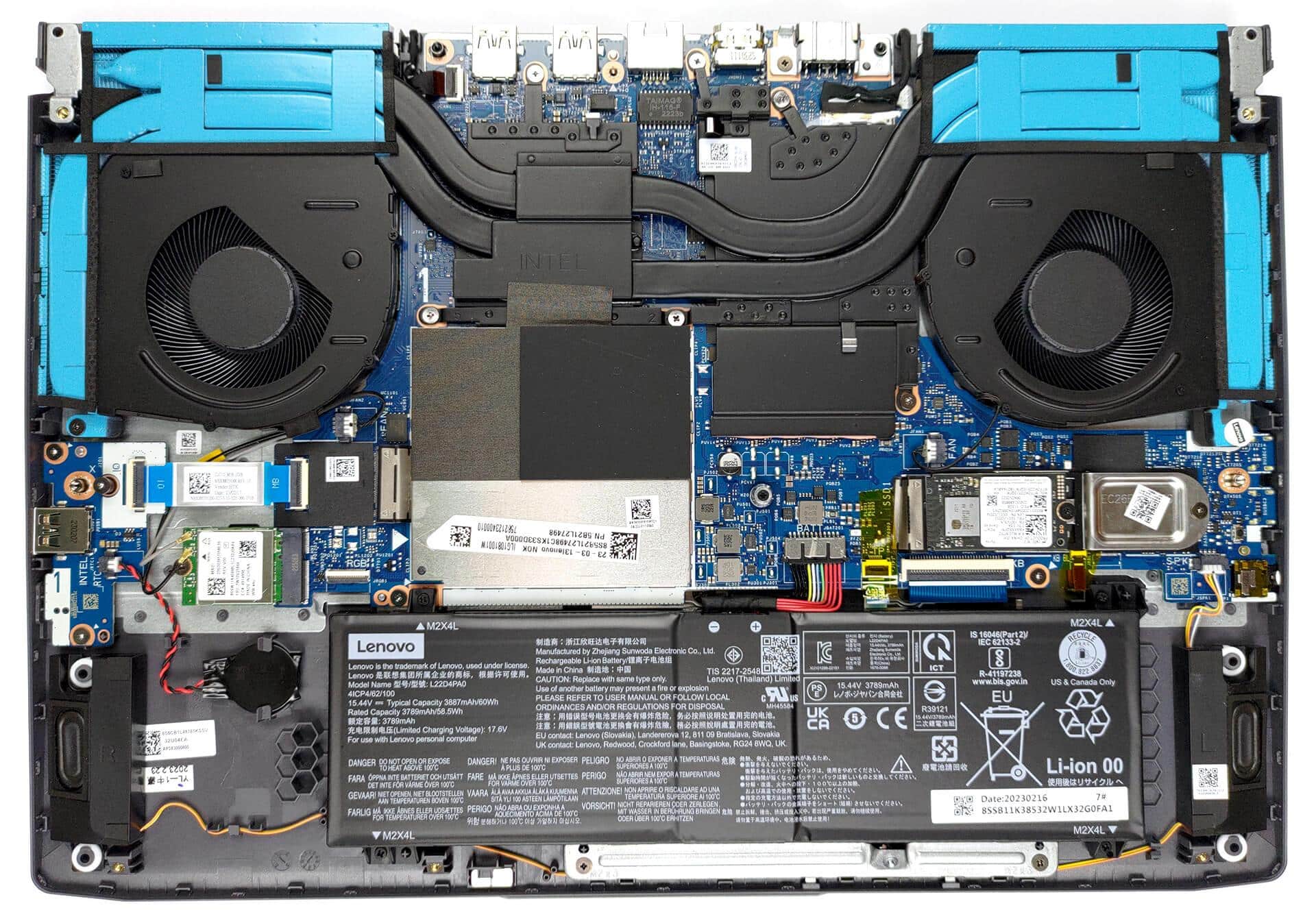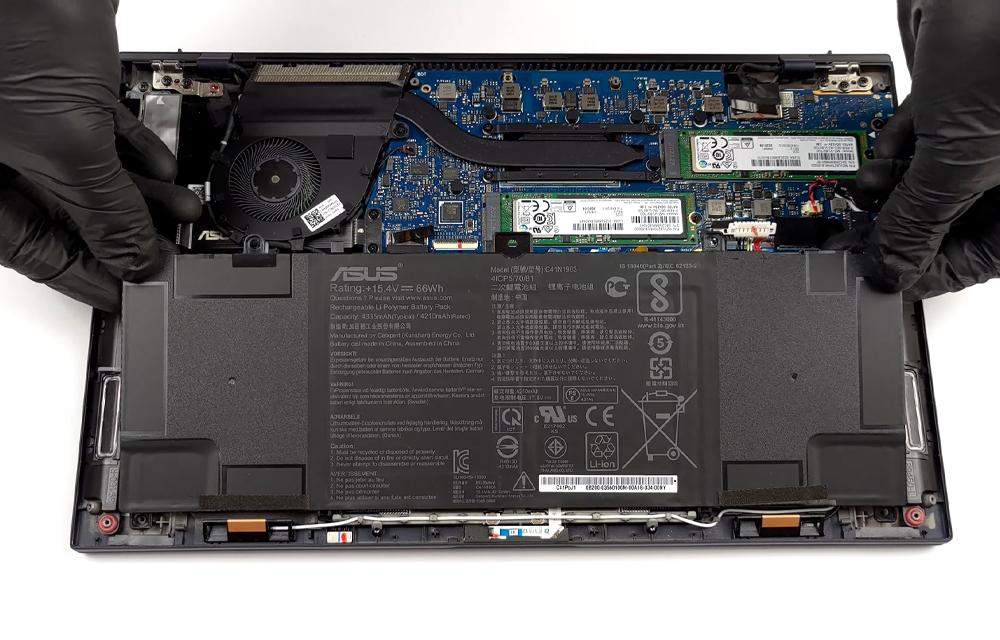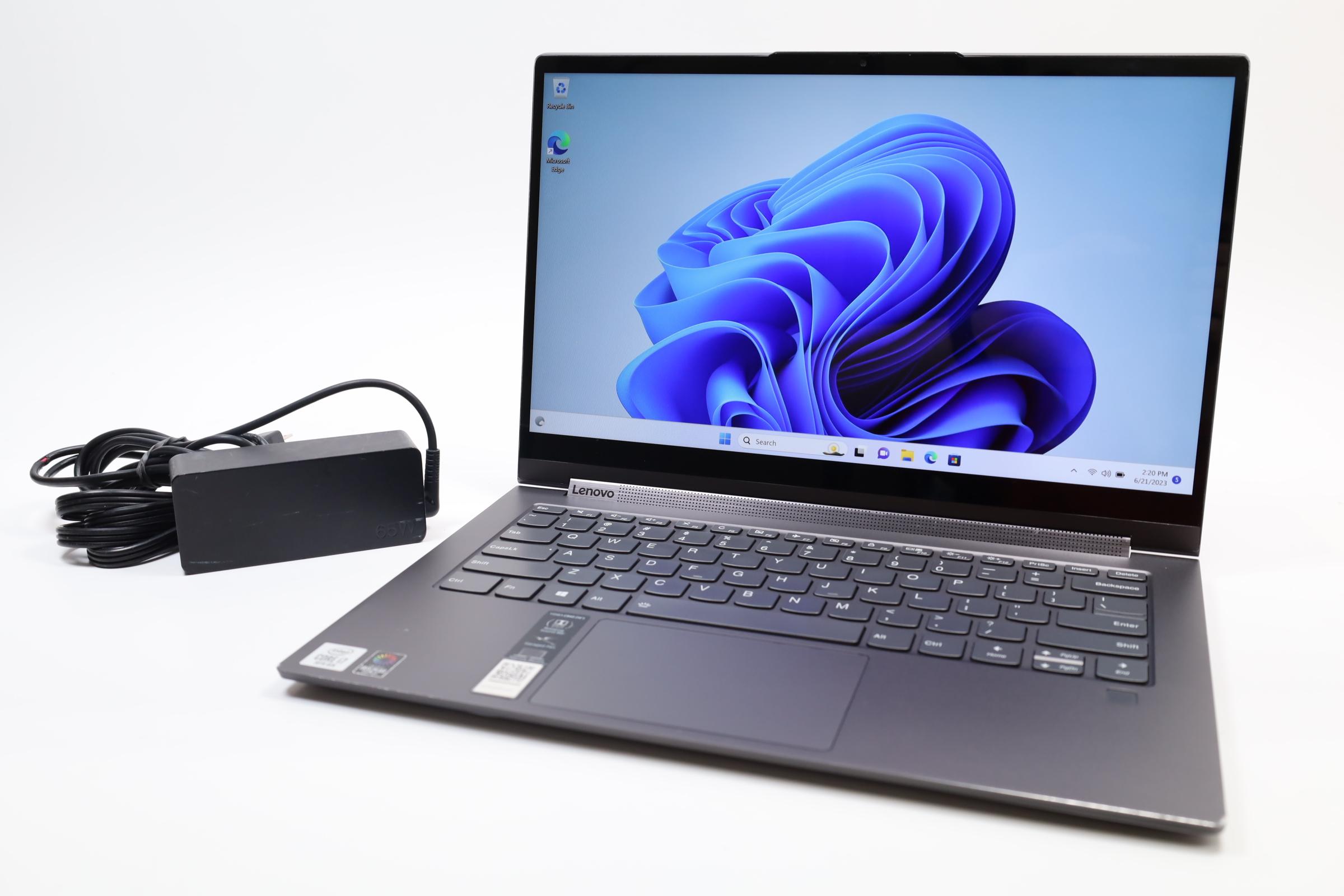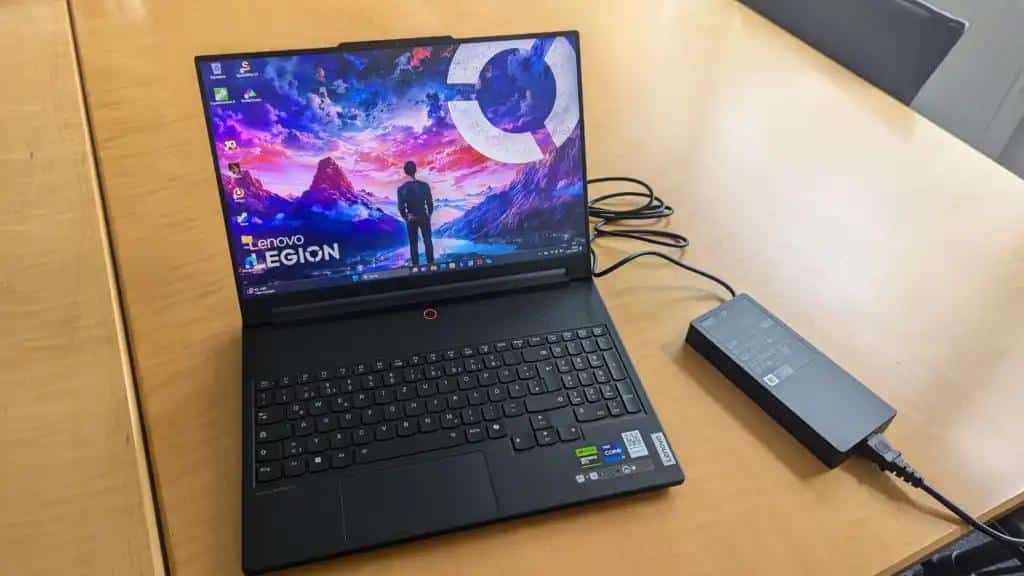
Lenovo ThinkPad battery replacement cost depends on the exact model, generation, compatible battery part and work included in the quotation. There is no verified battery price available for the models in this guide, so a reliable total requires a current, model-specific quote rather than an estimated range.
Reduced runtime, charging concerns and unexpected shutdowns can justify an assessment, but they do not prove battery failure. This guide explains model-dependent pricing, compatibility, quotation inclusions, availability and when replacement makes sense.
ThinkPad battery replacement cost by model
Use the model and generation breakdown below to compare battery replacement estimates.
*Note: These are estimated replacement costs for compatible batteries and service. The final price depends on the exact ThinkPad model, generation, battery part number, and battery availability.Lenovo ThinkPad X240 – X280 battery Replacement Cost
- X240: ₹2,000 – ₹4,500*
- X250: ₹2,000 – ₹4,500*
- X260: ₹2,000 – ₹4,500*
- X270: ₹2,000 – ₹4,500*
- X280: ₹2,500 – ₹4,500*
Lenovo ThinkPad X390 & X395 battery Cost
- X390: ₹3,000 – ₹5,500*
- X395: ₹3,000 – ₹5,500*
Lenovo ThinkPad X13 Series (Gen 1 – Gen 6) battery Price
- X13: ₹3,500 – ₹6,000* Source coverage mentions Yoga variants.
- X13 Yoga (Gen 1 to Gen 5): ₹3,500 – ₹6,000*
Lenovo ThinkPad X1 Carbon ( Gen 1 – Gen 9) battery Price
- X1 Carbon (Gen 1 – Gen 9): ₹3,000 – ₹5,500*
Lenovo ThinkPad X1 Carbon (Gen 9 to Gen 14) battery Cost
- X1 Carbon (Gen 9 to Gen 14): ₹4,000 – ₹7,000*
Lenovo ThinkPad X1 Yoga Gen 1- Gen 8 battery Price
- X1 Yoga (Gen 1- Gen 8): ₹3,500 – ₹6,500*
ThinkPad X1 Nano battery Cost
- X1 Nano: ₹4,000 – ₹6,500*
Lenovo ThinkPad T430 / T430s / T430i battery Cost
- T430: ₹2,000 – ₹4,000*
- T430s: ₹2,000 – ₹4,500*
- T430i: ₹2,000 – ₹4,000*
Lenovo ThinkPad T440–T480 Series Battery Cost
- T440, T440s, T440p, T450, T450s, T460, T470: ₹2,000 – ₹4,500*
- T460s, T460p, T470s, T470p: ₹2,500 – ₹4,500*
- T480, T480s: ₹2,500 – ₹5,000*
*Note: Actual battery replacement cost may vary depending on the exact model, battery part number, battery quality, and service charges.Lenovo T540p/ T550/T560/T570/T580 battery Cost
- T540p: ₹2,500 – ₹4,500*
- T550: ₹2,500 – ₹4,500*
- T560: ₹2,500 – ₹4,500*
- T570: ₹2,500 – ₹4,500*
- T580: ₹2,500 – ₹5,000*
Lenovo T540 / T490s / T495 battery Price
- T540: ₹2,500 – ₹4,500*
- T490s: ₹3,000 – ₹5,500*
- T495: ₹3,000 – ₹5,500*
Lenovo T14 Series (Gen 1 – Gen 6) battery Cost
- T14 (Gen 1 – Gen 6): ₹3,500 – ₹6,500* Source coverage mentions AMD variants.
- T14 AMD (Gen 1 – Gen 6): ₹3,500 – ₹6,500* Source coverage mentions AMD variants.
- T14s (Gen 1 – Gen 6): ₹3,500 – ₹6,500*
Lenovo T15(Gen 1 – Gen 2) battery Price
- T15 (Gen 1 – Gen 2): ₹3,500 – ₹6,000*
Lenovo T16 (Gen 1 – Gen 3) battery Price
- T16 (Gen 1 – Gen 3): ₹4,000 – ₹6,500*
ThinkPad E Series Battery Replacement CostThinkPad E Series battery replacement typically costs ₹2,000 – ₹5,000*, depending on the model and battery type.Older models such as the E450–E470 and E550–E575 generally fall around ₹2,000 – ₹4,000, while newer models such as the E490/E495 and E590/E595 can cost around ₹2,500 – ₹5,000.*Note: Final pricing depends on the exact model, generation, battery part number, battery type, and service charges. AMD variants may have different battery specifications.Lenovo E14 Series (Gen 1 – Gen 7) battery Cost
- E14 (Gen 1 – Gen 7): ₹3,000 – ₹5,500*
Lenovo E15 Series (Gen 1 – Gen 4) battery Price
- E15 (Gen 1 – Gen 4): ₹3,000 – ₹5,500*
- E14: ₹3,000 – ₹5,500*
Lenovo E16 series (Gen 1 – Gen 3) battery Cost
- E16 (Gen 1 – Gen 3): ₹3,500 – ₹6,000*
- E15: ₹3,000 – ₹5,500*
ThinkPad P1 Gen1- Gen 8 Series battery Cost
- P1 (Gen1- Gen 8): ₹4,000 – ₹7,000*
Lenovo ThinkPad P15 / P16 battery Cost
- P15 (Gen 1 – Gen 2): ₹4,000 – ₹7,000*
- P16 (Gen 1 – Gen 3): ₹4,500 – ₹7,500*
Lenovo ThinkPad L440 – L490 battery Replacement Cost
- L440: ₹2,000 – ₹4,000*
- L490: ₹2,500 – ₹5,000*
ThinkPad L560 – L590 battery Replacement Cost
- L560: ₹2,000 – ₹4,000*
- L590: ₹2,500 – ₹5,000*
ThinkPad L13 Series battery Replacement Price
- L13 (Gen 1 – Gen 6): ₹3,500 – ₹6,000* Source coverage mentions Yoga variants.
- L13 Yoga: ₹3,500 – ₹6,000*
- L13 2 in 1: ₹3,500 – ₹6,000* Source coverage mentions Yoga variants.
ThinkPad L14 Series battery Cost
- L14 (Gen 1 – Gen 6): ₹3,500 – ₹6,500*
ThinkPad L15 Gen 1 to Gen 4 series battery cost
- L15 (Gen 1 to Gen 4): ₹3,500 – ₹6,500*
- L14: ₹3,500 – ₹6,500*
ThinkPad L16 Gen 1 – Gen 13 battery Cost
- L16 (Gen 1 – Gen 13): ₹4,000 – ₹7,000*
Lenovo ThinkPad X13 Yoga Gen 1 to Gen 5 Series battery Cost
- X13 Yoga (Gen 1 to Gen 5): ₹3,500 – ₹6,000*
Lenovo Thinkpad X1 Yoga Gen1 to Gen5 series
- X1 Yoga (Gen1 to Gen5): ₹3,500 – ₹6,000*
Confirm the exact model, generation and compatible part before relying on a quotation. Final price depends on model availability and the compatible battery part.*Final price depends on the exact model, compatible battery part and current model availability.What Determines ThinkPad Battery Replacement CostTwo quotations can look very different because they cover different parts or different service work. The useful comparison is the total cost for a confirmed compatible battery, fitted and tested—not simply the lowest advertised ThinkPad battery price.
- Exact model and generation: A ThinkPad family name alone may not identify the required battery. Pricing should follow identification of the device and its compatible part.
- Battery part and compatibility: The part number, connector, physical fit and electrical and system compatibility need confirmation. A similar-looking pack is not enough evidence of interchangeability.
- Part category: An original Lenovo part and a separately identified compatible option may have different quotations. The supplier should confirm what is actually being offered rather than relying on a vague product description.
- Service scope: Inspection, installation and post-replacement testing may be included or charged separately. A component-only listing is not necessarily the final replacement price.
- Additional charges: Taxes, delivery, pickup and diagnostic charges, where applicable, can change the payable total.
- Availability and sourcing: The availability of the exact compatible part can affect the quote and sourcing time. Neither should be assumed from an older listing.
Screen size, display specifications and screen-replacement prices are not a basis for calculating battery cost. Likewise, an original Lenovo ThinkPad battery price should only be compared with another quote once the part identity and service inclusions are clear.For an enquiry based on your device details, explore IndiRepair’s Lenovo laptop battery replacement service.Identify the ThinkPad Model and Confirm Battery CompatibilityThe full model designation may be available on the underside label, in system information, in Lenovo support information or in your purchase records. Include the generation when available; a shortened family name can leave important compatibility questions unanswered.
- Device identification: The full model designation, generation and machine-type information, where available, give the supplier a more precise starting point.
- Variant details: Intel, AMD, Yoga and convertible descriptions can help identify the device. These labels do not automatically prove that a different battery is required.
- Battery identification: An existing battery label or recorded part number can support a compatibility check. Any replacement or superseding part number still needs confirmation against the device.
- Fit and connection: The correct connector, mounting arrangement, physical dimensions and electrical compatibility matter alongside the name on the listing.
- Photos for remote enquiries: A clear device-label photo can reduce ambiguity. An existing battery photo is useful only if already available or safely obtained by a technician; opening the laptop is not required just to request a quote.
A reference image can help distinguish the laptop’s model designation from the battery’s part number. Their locations vary, so official Lenovo documentation for the exact device remains the appropriate reference.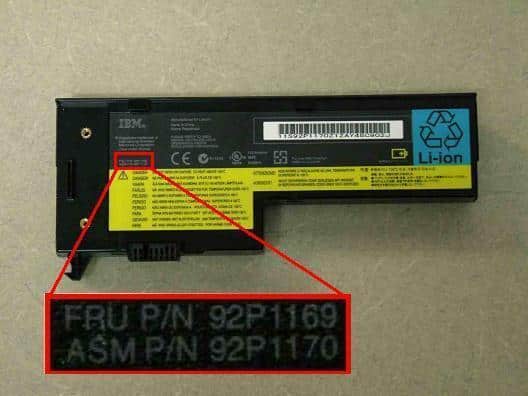 The model inventory referenced in this guide comes from screen-replacement coverage. It identifies model names only: it does not confirm battery compatibility, battery specifications, availability or battery service coverage.What a Lenovo ThinkPad Battery Quote Should IncludeAn itemised quote makes it easier to compare the Lenovo ThinkPad battery replacement price fairly. It should make clear what you are buying, what work is included and what remains subject to inspection.
- Device and part identification: The exact ThinkPad model and generation, plus the battery part number or documented basis for compatibility.
- Component description: Whether the offered battery is original Lenovo, compatible or another specifically identified category, with supporting identification where available.
- Included work: Whether inspection, installation, battery-recognition checks and charging tests are covered.
- Separate charges: Any diagnostic fees, taxes, pickup, delivery or additional repair charges that are not included in the stated amount.
- Availability: Whether the quoted part is currently available for your identified device, whether it is reserved and what sourcing time is expected if it must be ordered.
- Written terms: Any applicable part warranty or installation coverage, including its conditions and exclusions. Coverage should not be assumed if it is absent from the quote.
When comparing Lenovo ThinkPad battery prices in Mumbai or elsewhere in India, use the same part and service scope for each comparison. A city-specific search does not establish local stock, a fixed regional price or delivery availability.IndiRepair has completed 500+ laptop repairs and has practical experience diagnosing laptop problems. That experience is relevant to a battery enquiry because identifying the underlying power issue helps distinguish a replacement purchase from a different repair need; it does not establish a price or outcome for your device.To discuss your model details and request a quotation, book your Lenovo laptop battery replacement with IndiRepair.Questions to Ask Before Approving the Replacement
- Which exact ThinkPad model, generation and battery part number does this quote cover?
- Is the battery original Lenovo, compatible or another specifically identified option?
- Does the total include installation, testing, taxes and delivery where relevant?
- Is the part currently available, and what sourcing time is expected if it is not?
- What written warranty or service coverage applies to the part and installation, if any?
- Will battery recognition and charging be verified after installation?
Should You Replace the ThinkPad Battery?Replacement makes sense when assessment supports a battery fault or deterioration, the correct part has been identified and the complete quote is reasonable for your intended use. Symptoms alone are not enough to make that decision.
- Reduced runtime: Battery wear is one possible explanation, but workload, settings and background activity can also increase power consumption. A runtime complaint needs context before it becomes a replacement recommendation.
- Charging interruptions: The adapter, charging port or power-management system may be involved. A new battery will not necessarily resolve a fault elsewhere in the power path.
- Unexpected shutdowns or recognition messages: These warrant assessment, but neither identifies the battery as the confirmed cause on its own.
- Overall device condition: The laptop’s age, performance, other repair needs and expected continued use should inform whether replacement is worthwhile.
- Need for portable use: A confirmed battery replacement may be more valuable when reliable unplugged operation is essential. There is no universal cost threshold that suits every owner.
Safety warning: Stop using and charging the laptop if the battery appears swollen or damaged, or if there is unusual heat, a burning smell, smoke or sparks. Disconnect external power only if it is safe to do so, and seek professional assessment. Do not press, puncture or attempt to flatten a swollen battery.When an Assessment Is Better Than Ordering ImmediatelyA technician’s assessment should help separate a battery purchase from another power-related repair. For example, a laptop that operates on external power but shuts down when unplugged provides a useful clue, not conclusive proof that the battery alone has failed.
- Unknown model or part number: Compatibility remains unresolved, making an immediate purchase risky.
- Inconsistent charging: Behaviour that varies with a particular adapter or connection can point towards a power-input issue requiring assessment before ordering.
- Conflicting readings: A displayed charge level that does not match shutdown behaviour may involve battery condition, reporting or power-management issues. The reading needs to be interpreted alongside actual operation.
- Physical warning signs: Swelling, damage or excessive heat calls for safe professional handling rather than further home testing.
Assessment can compare battery recognition, charging behaviour, reported condition and the external power supply. Evidence of reduced usable capacity can support replacement, while a fault in the charging path may require different work. Neither finding should be assumed before testing.IndiRepair’s practical diagnostic experience is useful when symptoms overlap: a charging complaint is a starting point for investigation, not an automatic reason to sell a battery. If the cause or compatibility remains uncertain, get your Lenovo laptop battery replacement by IndiRepair.Cost-Related Lenovo ThinkPad Battery FAQs
Q: Why does the Lenovo ThinkPad battery replacement cost vary by model?
A: Different devices may require different battery parts, and the final quote also depends on the offered part category, availability and included work. Two prices are not directly comparable if one covers only the battery while the other includes installation, testing and taxes. The model breakdown above identifies entries requiring price confirmation; an unconfirmed entry is not a price estimate. A reliable comparison starts with the exact device and compatible part, not its screen size or the cost of replacing its display.
Q: How can I find the correct battery for my ThinkPad?
A: Start with the full device identification rather than the ThinkPad family name alone. The underside label, system information or purchase records may supply the details needed for a quotation. Useful information includes:
- The complete model designation and generation, where available.
- An existing battery part number or label photo, if safely available.
- A clear device-label photo and relevant variant information.
The supplier or technician should confirm compatibility against the device before purchase. If the battery is internal, leave label inspection to a technician rather than opening the laptop solely to obtain a quotation.
Q: Does the battery quote include installation and testing?
A: Not necessarily. An advertised Lenovo ThinkPad battery price may refer only to the component, while a replacement-service quote may include some or all of the fitting and testing work. The written quotation should clarify inspection, installation, battery recognition and charging checks, as well as taxes and delivery. It should also identify any diagnostic charge payable if replacement is not needed. Any part warranty or installation coverage needs separate confirmation; neither should be inferred from the total price or the word “replacement”.
Q: Can I order an original Lenovo ThinkPad battery by model name alone?
A: A broad model name may be insufficient. The full designation, generation and compatible battery part details help establish what the device requires. Compatibility and authenticity are separate questions: a battery can be advertised as fitting a laptop without evidence that it is an original Lenovo part.
- A listing’s use of “original” is not independent verification of authenticity.
- A matching appearance does not confirm electrical compatibility or fit.
- A clearly identified part category and confirmed compatibility provide a better basis for approval than a generic title.
The seller should resolve these details before payment, especially when comparing original-part and compatible-part quotations.
Q: How does battery availability affect a ThinkPad replacement quote?
A: Availability affects whether the exact compatible battery can be supplied now or needs sourcing. A quotation may therefore depend on confirmation of the part, current supplier pricing and delivery arrangements. A Mumbai or India-focused search does not prove that a battery is in local stock or establish a fixed local price. The useful details are current availability for your identified model, expected sourcing time, any delivery charges and how long the quotation remains valid. An alternative part still requires compatibility confirmation rather than substitution based only on availability.
Q: When should I replace a ThinkPad battery instead of continuing to use it?
A: Replacement is worth considering when assessment confirms battery deterioration or failure, the compatible part is identified and the full cost suits the laptop’s condition and your needs. Reduced runtime alone does not prove failure, and a battery purchase may not resolve a charger or charging-port problem. Safety concerns take priority over price comparisons:
- Swelling, visible damage or unusual heat warrants stopping use and obtaining professional assessment.
- Smoke, sparks or a burning smell are reasons to stop use immediately, not continue testing.
- Opening, puncturing or compressing a battery is not a safe way to restore it.
An accurate Lenovo ThinkPad battery replacement cost depends on exact model identification, verified compatibility and a clear quotation—not symptoms or a family name alone. Before approving the work, confirm the part, current availability and total service scope.If you need help resolving those details, discuss Lenovo laptop battery replacement with IndiRepair and request an itemised quote. Professional diagnosis is particularly useful when charging behaviour is inconsistent or it is unclear whether the battery is the underlying.
About the Author: Khan Rahil is a diploma holder in Computer Hardware with over 5 years of hands-on experience in laptop repairs and Senior Technician at IndiRepair. He has overseen hundreds of screen replacements, ensuring quality and customer satisfaction.