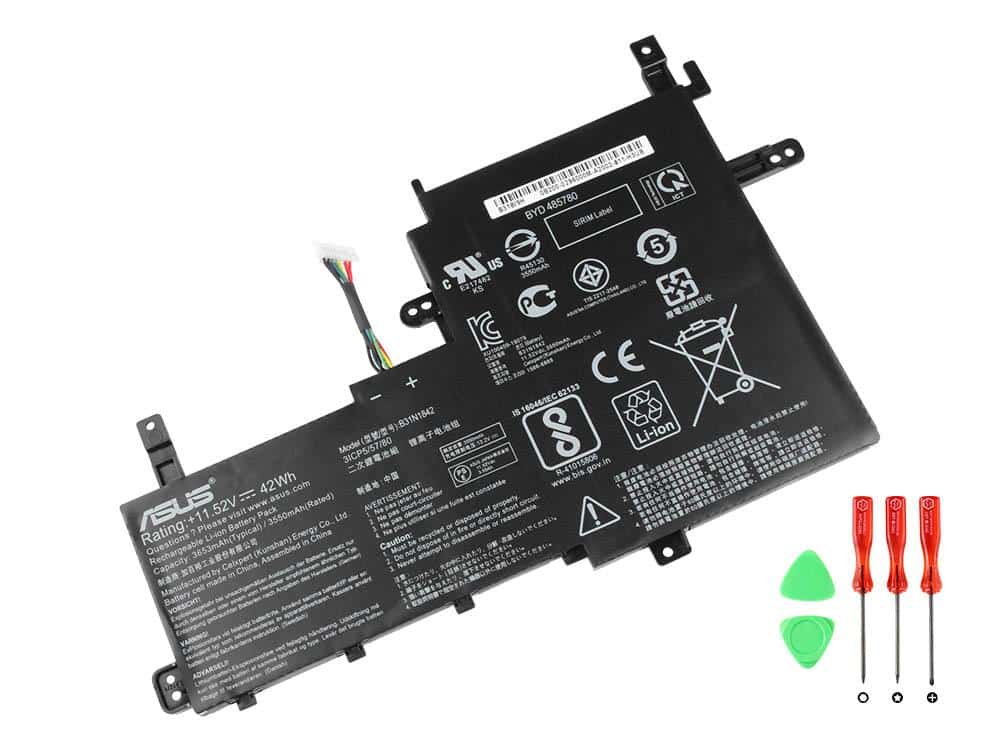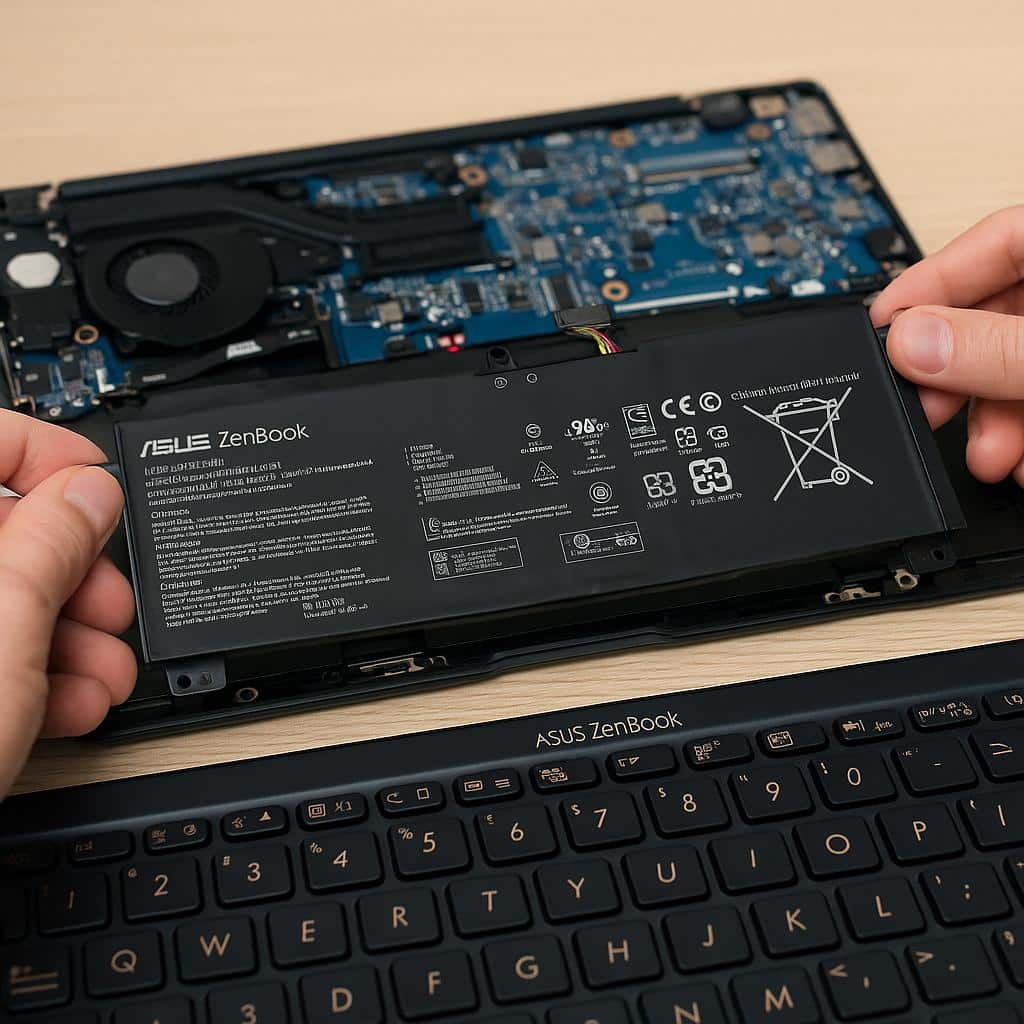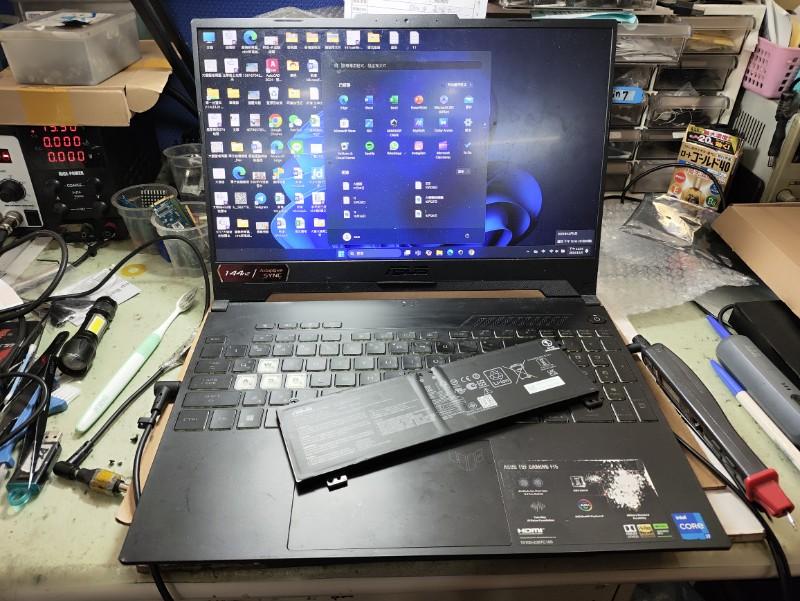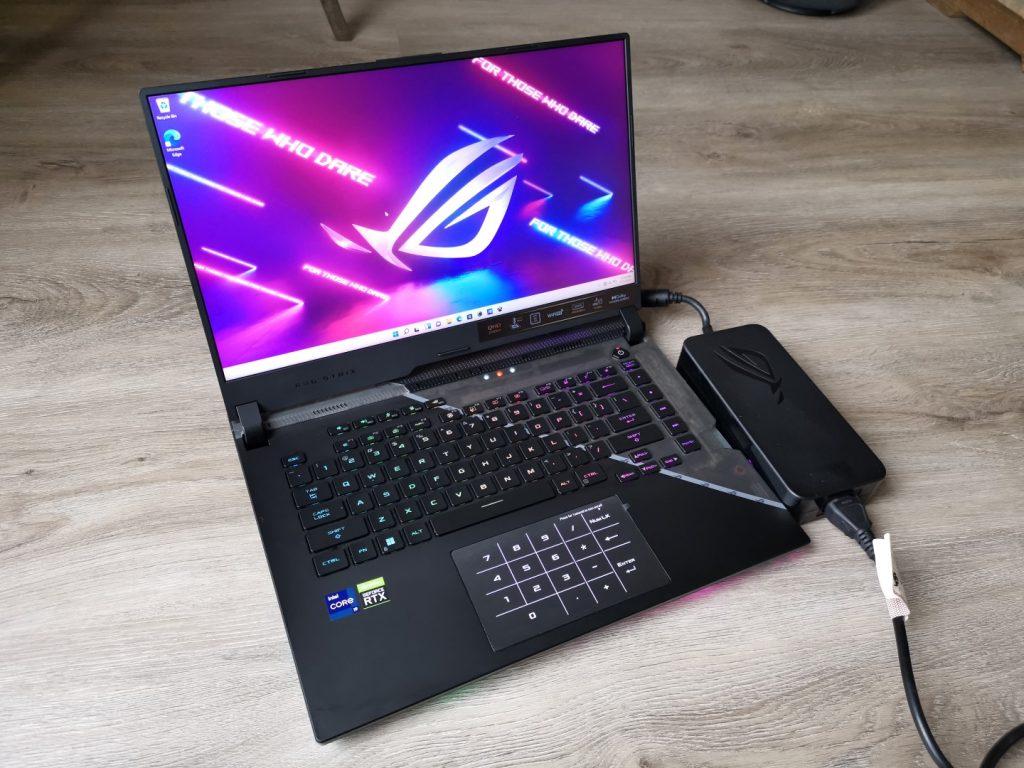
The ASUS ROG battery replacement cost cannot be confirmed from the ROG family name alone. ASUS ROG laptops are sold across different generations, sizes, configurations, and battery capacities. Different models can use different battery packs, voltages, connectors, capacities, and mounting arrangements.
An accurate battery replacement quotation therefore requires the exact ASUS ROG model and, where available, the original battery part number or battery specifications. A battery that fits one ROG model should not automatically be assumed to be compatible with another model in the same family.
This guide explains the available model coverage, why battery replacement quotations vary, how to identify the correct battery, common signs of battery failure, and what to confirm before approving a replacement. If you need an initial service route, you can review the Asus laptop battery replacement service after collecting the model and battery details.
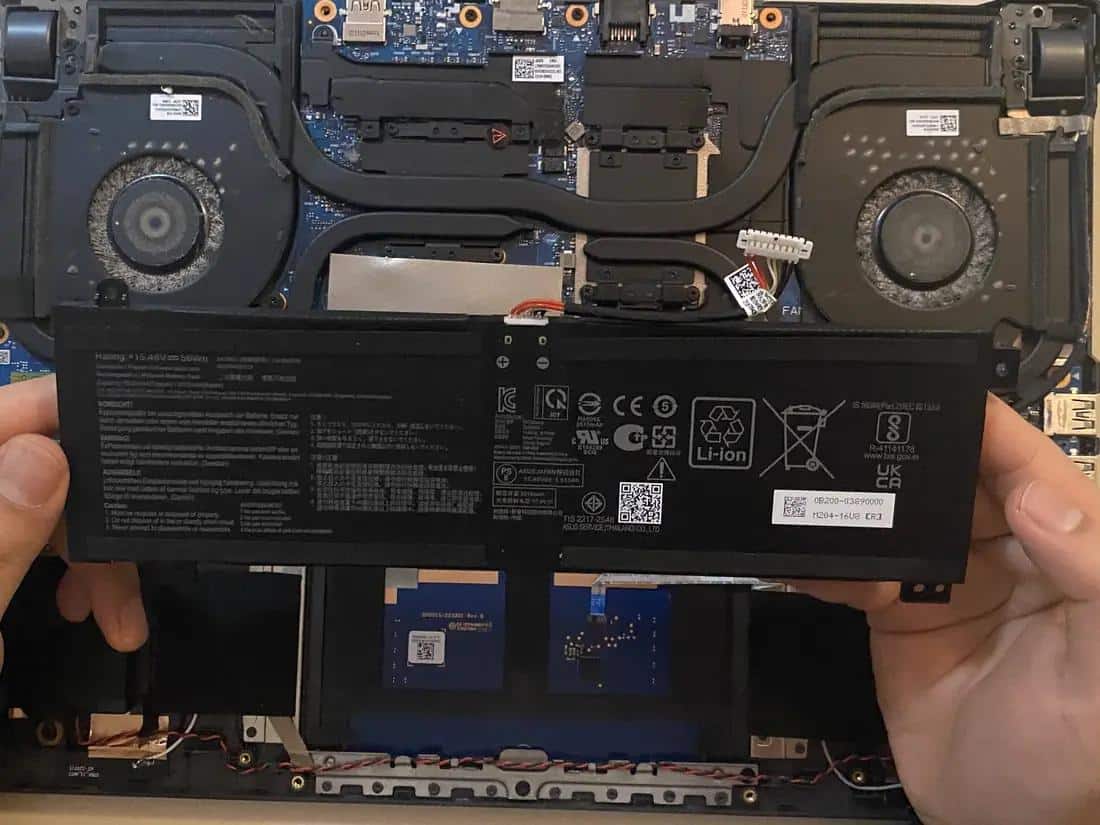
ROG battery replacement cost by model
Use the model and generation breakdown below to compare battery replacement estimates. Prices are indicative India-market replacement costs and can vary according to the exact battery part number, capacity, availability, battery type, and whether installation and testing are included.
| Model / generation | Estimated replacement cost | Price basis |
|---|---|---|
| G14 | ₹4,500–₹6,500 | Model-specific internal battery + replacement service |
| ROG Flow X13 | ₹4,000–₹6,000 | Model-specific internal battery |
| ROG Strix G16 | ₹4,500–₹6,500 | Model and battery capacity dependent |
| ROG Strix G17 | ₹4,500–₹6,500 | Model-specific high-capacity battery |
| ROG Zephyrus G16 | ₹5,000–₹7,000 | Higher-capacity internal battery |
| ROG Strix SCAR 16 | ₹5,000–₹7,000 | Model-specific battery + replacement service |
| ROG Flow X16 | ₹5,000–₹7,000 | Model and battery capacity dependent |
| ROG Strix G18 | ₹5,000–₹7,000 | Large-capacity internal battery |
| ROG Strix SCAR 18 | ₹5,000–₹7,500 | Large-capacity model-specific battery |
| ROG Strix G15 | ₹4,500–₹6,500 | Model and generation dependent |
Important: These are estimated India-market replacement ranges, not fixed ASUS prices. The exact battery price depends on the laptop configuration, battery part number, capacity, availability, battery type, and service scope. A battery-only online listing can also be lower than a complete fitted replacement quotation.
Asus ROG Zephyrus G14 battery Replacement Cost
- G14: Estimated battery replacement cost of ₹4,500–₹6,500.
- Different G14 generations can use different internal battery packs and capacities.
- The complete GA-series model should be confirmed before selecting a replacement battery.
ASUS ROG Flow X13 battery Replacement Cost
- X13: Estimated battery replacement cost of ₹4,000–₹6,000.
- The Flow X13 uses model-specific internal batteries.
- Different generations may have different battery capacities and part numbers.
- Confirm the complete GV-series model before ordering a replacement.
ASUS ROG Strix G16 battery Replacement Cost
- G16: Estimated battery replacement cost of ₹4,500–₹6,500.
- The exact battery can vary by generation and configuration.
- Confirm the complete G614-series model and original battery specifications before replacement.
ASUS ROG Strix G17 battery Replacement Cost
- G17: Estimated battery replacement cost of ₹4,500–₹6,500.
- The larger Strix G17 models can use higher-capacity internal batteries.
- The exact battery part number should be confirmed against the laptop configuration.
ASUS ROG Zephyrus G16 battery Replacement Cost
- G16: Estimated battery replacement cost of ₹5,000–₹7,000.
- Different Zephyrus G16 generations can use different battery capacities and battery packs.
- Confirm the complete GU-series model before purchasing a replacement.
ASUS ROG Strix SCAR 16 battery Replacement Cost
- SCAR 16: Estimated battery replacement cost of ₹5,000–₹7,000.
- The SCAR 16 uses a model-specific internal battery.
- Battery capacity, availability and the exact G-series configuration can affect the replacement cost.
ASUS ROG Flow X16 battery Replacement Cost
- X16: Estimated battery replacement cost of ₹5,000–₹7,000.
- The Flow X16 can use a higher-capacity internal battery than some smaller ROG models.
- Confirm the complete GV-series model and battery part number before ordering.
ASUS ROG Strix G18 battery Replacement Cost
- G18: Estimated battery replacement cost of ₹5,000–₹7,000.
- The 18-inch ROG Strix configuration can use a large-capacity internal battery.
- The exact generation and battery part number should be confirmed before replacement.
ASUS ROG Strix SCAR 18 battery Replacement Cost
- SCAR 18: Estimated battery replacement cost of ₹5,000–₹7,500.
- Higher-capacity batteries and model-specific parts can affect the replacement price.
- Confirm the complete G-series model before selecting the battery.
Confirm the exact model, generation and compatible battery part before relying on a quotation. Battery prices should not be inferred across different ROG models or generations.
Why ASUS ROG battery replacement cost varies
The verified model number and original battery specification are more useful for pricing than the broad ROG, Zephyrus, Flow, Strix, or SCAR family name. Two ROG laptops can have similar specifications but still require different batteries.
The final quotation may reflect the replacement battery, compatibility checks, installation, battery testing, and whether related power or chassis damage needs attention.
- Battery capacity in Wh.
- Battery voltage and electrical specifications.
- Battery part number and cell configuration.
- Connector type and cable arrangement.
- Physical dimensions and mounting points.
- Battery availability and sourcing requirements.
- Whether the replacement is genuine ASUS, OEM or a compatible third-party battery.
- Whether the battery is new, refurbished or previously used.
- Whether installation, diagnosis and testing are included.
- Whether battery swelling has caused damage to the laptop chassis or surrounding components.
A battery that looks physically similar should not be treated as a confirmed match. The replacement should be checked against the original configuration before installation so that voltage, capacity, connector and battery-management compatibility are not assumed incorrectly.
With practical experience across 500+ laptop repairs, IndiRepair focuses on identifying the underlying battery or power issue and confirming the required part before recommending replacement work.
Book your Asus laptop battery replacement with IndiRepair
How to identify the exact ASUS ROG laptop and battery
For a reliable ASUS ROG battery replacement cost estimate, provide the complete product identifier rather than only saying that the laptop is an ROG, Strix, Zephyrus, Flow, or SCAR model. The exact variant determines which battery configurations are suitable.
- Check the laptop identification label, original packaging, purchase record, or other manufacturer identification details for the complete model or product identifier.
- Record the exact series and variant, including any model suffix shown on the device.
- Take a clear photograph of the laptop’s exterior model label.
- If the battery is already safely accessible through appropriate technical handling, capture a clear photograph of its label and part number.
- Record the battery capacity in Wh, voltage and other specifications shown on the battery label.
- Describe whether the laptop powers on, whether the battery charges, and how quickly the battery drains.
- Mention whether the battery is physically swollen or whether the laptop’s bottom panel or trackpad has started lifting.
- Include your location and ask for the exact model and battery identification to be verified before a part is ordered.
The battery label can help confirm details such as the battery part number, capacity, voltage and cell configuration. However, readers should not open the laptop simply to obtain the battery label if they are not equipped to handle the internal battery safely.
The exact model and battery identification should be treated as VERIFY information before any replacement is selected.
Once the model and battery information are available, a service provider can compare the proposed replacement with the original configuration instead of relying on a generic ASUS ROG laptop battery description.
Battery specifications and compatibility factors that affect the quote
Battery capacity alone does not confirm compatibility. A replacement battery must be assessed as part of the complete laptop configuration, including its electrical specifications, connector, physical fit and battery-management system.
- Battery capacity: Battery capacity is normally expressed in watt-hours (Wh). A higher capacity should not automatically be treated as a compatible upgrade.
- Voltage: The replacement battery should have the correct electrical specifications for the laptop.
- Cell configuration: Battery packs can use different cell configurations. The replacement should match the laptop’s requirements.
- Connector: The battery connector and cable arrangement must be compatible with the motherboard.
- Physical dimensions: The battery must fit correctly within the laptop chassis and align with the intended mounting points.
- Battery management: The battery’s internal control electronics must communicate correctly with the laptop’s charging and power-management system.
- Battery condition: New, refurbished and previously used batteries are not equivalent products and should be identified clearly in a quotation.
Battery connector and physical-fit verification
Before ordering or installing a replacement, the original battery configuration should be compared with the proposed battery. This is particularly important where the same ASUS ROG family has multiple generations.
- Match the connector type and cable arrangement against the original battery.
- Check battery dimensions, mounting points and clearance inside the chassis.
- Confirm the battery voltage and capacity requirements.
- Confirm that the battery-management electronics are appropriate for the exact laptop.
- Escalate uncertain matches for technical inspection instead of relying only on a generic online battery description.
Battery diagnosis versus complete battery replacement
A laptop that drains quickly or shuts down unexpectedly may require battery replacement, but the symptom does not automatically prove that the battery itself has failed.
Possible causes that may require separate diagnosis include:
- Degraded or failed battery cells.
- Damaged battery connector or cable.
- Fault in the laptop’s charging circuit.
- Motherboard or power-management fault.
- Incorrect charging behaviour caused by another hardware or software issue.
When it is safe to make basic observations without opening the laptop or manipulating the battery, the following checks can help narrow down the issue:
- Check whether the laptop works normally while connected to the charger. This can indicate that the system is receiving external power, but it does not by itself prove that the battery has failed.
- Check whether the battery percentage changes normally. A battery that remains at one percentage, drops suddenly or shuts down the laptop unexpectedly may require further assessment.
- Check the reported battery health. A Windows battery report can provide useful information about design capacity and current full-charge capacity.
- Look for physical swelling. A lifting bottom panel, raised trackpad or visible battery deformation should be treated as a safety concern.
- Stop self-testing if the battery is swollen, excessively hot, damaged or emitting an unusual smell.
IndiRepair recommends treating each result as a clue rather than automatic proof that one component has failed. A quotation may differ depending on whether the required work is battery replacement, connector-related repair, charging-circuit repair, or broader power diagnosis.
Get your Asus laptop battery checked by IndiRepair
What a battery replacement service may include
The exact scope should be confirmed before installation. A professional quotation may cover some or all of the following, depending on the verified device and fault:
- Model and battery identification before part selection.
- Compatibility confirmation for capacity, voltage, connector and physical fit.
- Safe removal of the existing internal battery.
- Installation of the compatible replacement battery.
- Battery detection and charging tests.
- Inspection for related connector, charging or chassis concerns when relevant.
- Clear separation of battery replacement from unrelated motherboard or power-circuit work.
- Confirmation of the final battery and service scope before installation.
What to include in an ASUS ROG battery replacement quotation
A useful quotation request gives the service provider enough information to verify compatibility instead of returning a generic ASUS ROG battery replacement price. Send the following details where available:
- The complete ASUS ROG model and variant identifier.
- The original battery part number.
- The original battery capacity in Wh.
- The battery voltage and other specifications shown on the label.
- Whether the laptop powers on and operates normally when connected to the charger.
- How quickly the battery drains.
- Whether the laptop shuts down unexpectedly.
- Whether the battery is swollen or the chassis has started lifting.
- Confirmation of the proposed replacement battery’s capacity, voltage, connector and physical fit.
- A clear description of what the quotation includes, such as the battery, installation, testing, diagnosis and separately identified work.
- Confirmation before ordering when the model has multiple battery configurations or when the required battery needs additional verification.
Share the exact model identifier, battery label if available, clear photographs and a description of the battery symptoms when requesting a quotation. This gives the service provider a better basis for checking the ASUS ROG battery replacement cost in India without promising a generic price before the battery is identified.
Frequently Asked Questions
Q: What is the ASUS ROG battery replacement cost?
A: There is no single cost for every ASUS ROG laptop because the family includes different models, generations and battery capacities. Battery replacement can typically fall around ₹4,000–₹7,500 in India depending on the exact model, battery part number, capacity, battery type, availability and service scope. Send the complete model identifier and battery details so the required battery can be verified before a quotation is confirmed.
Q: Why does the ASUS ROG battery replacement cost differ between models?
A: Different ROG models can use batteries with different capacities, voltages, connectors, physical dimensions and part numbers. Availability can also vary between generations. Installation, diagnosis and testing may further affect the final quotation. For that reason, an ASUS ROG battery price should be based on the exact laptop variant and original battery details rather than the family name alone.
Q: Does ASUS ROG battery replacement cost depend on battery capacity?
A: Battery capacity can affect the replacement price because higher-capacity battery packs may use different components and cost more to source. However, capacity alone does not establish compatibility. The battery voltage, connector, physical dimensions, cell configuration and laptop power-management system should also be checked.
Q: Can I use a higher-capacity battery in my ASUS ROG laptop?
A: Not automatically. A higher-capacity battery should only be considered if it is specifically compatible with the laptop. Voltage, connector, dimensions, mounting points, charging circuitry and battery-management electronics all need to be compatible. A battery should not be installed simply because it physically fits.
Q: How do I know if my ASUS ROG battery needs replacement?
A: Common signs include significantly reduced battery runtime, sudden shutdowns, the laptop working only when connected to the charger, incorrect battery percentages, charging problems and visible battery swelling. Similar symptoms can sometimes be caused by the charging circuit or motherboard, so diagnosis may be necessary.
Q: How long does an ASUS ROG laptop battery usually last?
A: Battery lifespan varies depending on usage, temperature, charging habits and workload. ASUS states that laptop batteries typically have a limited number of charge cycles and gradually lose capacity over time. A battery that no longer provides useful runtime or shows significant degradation may eventually require replacement.
Q: Can I replace my ASUS ROG battery myself?
A: Internal battery replacement is possible with appropriate tools and technical knowledge, but incorrect handling can damage the laptop or battery. Lithium-ion batteries should be handled carefully, particularly if they are swollen or physically damaged. Professional replacement is recommended if you are not familiar with internal laptop hardware.
Q: Does ASUS provide genuine ROG replacement batteries?
A: ASUS provides genuine spare parts for supported laptop models. ASUS also provides a Spare Parts Price Checker that can be used to identify compatible parts using the laptop model or serial number. Exact battery availability and pricing depend on the specific device.
Q: Does replacing the ASUS ROG battery affect my files?
A: A normal battery replacement does not require deleting files stored on the laptop’s SSD. However, maintaining a backup of important files is recommended before sending a laptop for repair, particularly when the device has other hardware problems.
Q: What should I do if my ASUS ROG battery is swollen?
A: Stop using the laptop if possible and avoid pressing, puncturing, bending, crushing or forcibly removing the battery. A swollen lithium-ion battery should be handled carefully and assessed by a qualified technician.
Q: Is the ASUS ROG battery replacement price the same for every generation?
A: No. Different ROG generations can use different battery part numbers and capacities. The battery replacement cost for a Zephyrus G14 can therefore differ from the cost for a Strix G18 or SCAR 18. The exact model and battery part number should be checked before providing a final quotation.
Q: What information should I provide to get an ASUS ROG battery replacement quote?
A: Share the complete laptop model number, the battery part number if available, the battery capacity and voltage, and the symptoms you are experiencing. A clear photograph of the laptop’s model label and battery label can also help when safely available. Mention whether the battery drains quickly, does not charge, shuts down unexpectedly or is physically swollen.
Conclusion
The correct ASUS ROG battery replacement cost depends on the exact laptop variant and original battery configuration, not on the ROG family name alone. Battery capacity, voltage, part number, connector compatibility, physical fit, battery condition and part availability can all change the quotation.
Before purchasing or approving installation, confirm the proposed battery and the full service scope. IndiRepair can help assess the available information and determine whether the next step is battery replacement or further power-system diagnosis.
For a verification-focused next step, consider Asus laptop battery replacement with IndiRepair.
Send the exact ASUS ROG model, battery part number if available, clear laptop and battery photographs, battery symptoms, and any information about swelling or charging behaviour so the replacement can be assessed against the correct configuration rather than a generic ASUS ROG battery price.
About the Author: Khan Rahil is a diploma holder in Computer Hardware with over 5 years of hands-on experience in laptop repairs and Senior Technician at IndiRepair. He has overseen hundreds of screen replacements, ensuring quality and customer satisfaction.