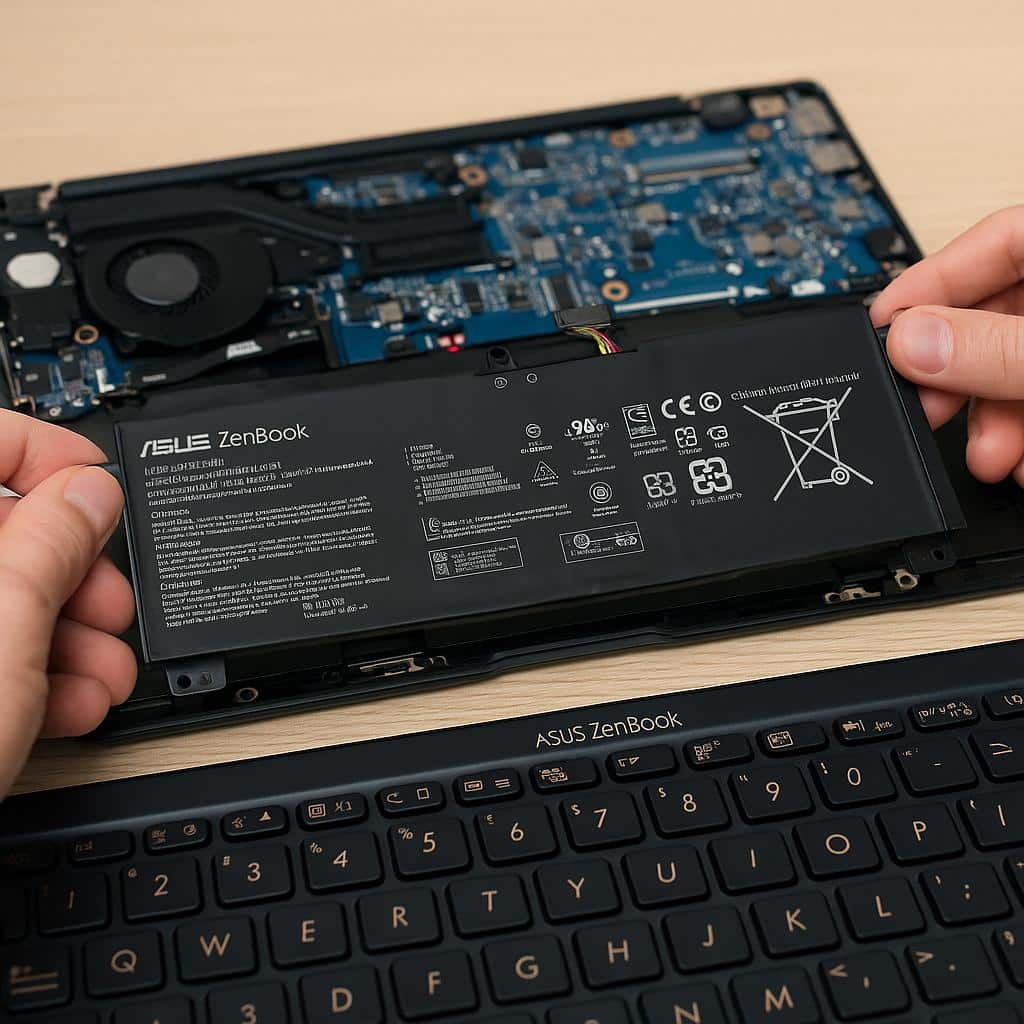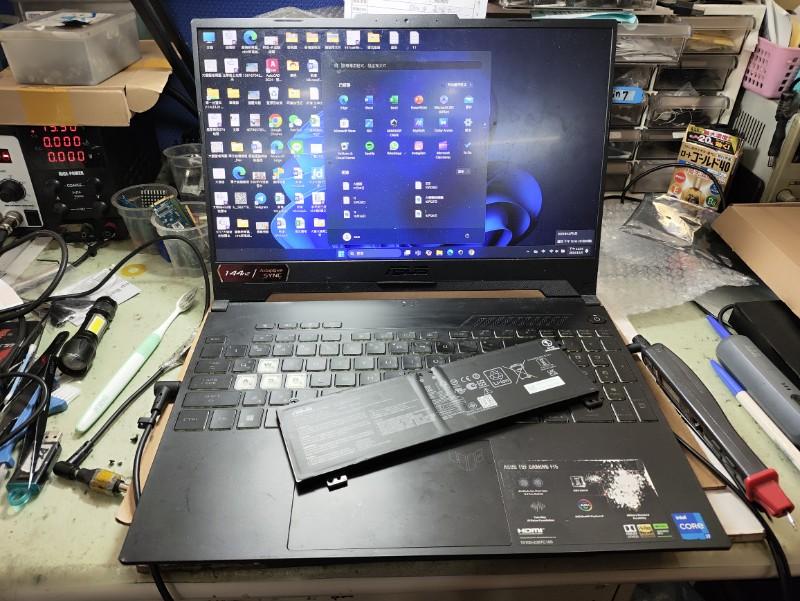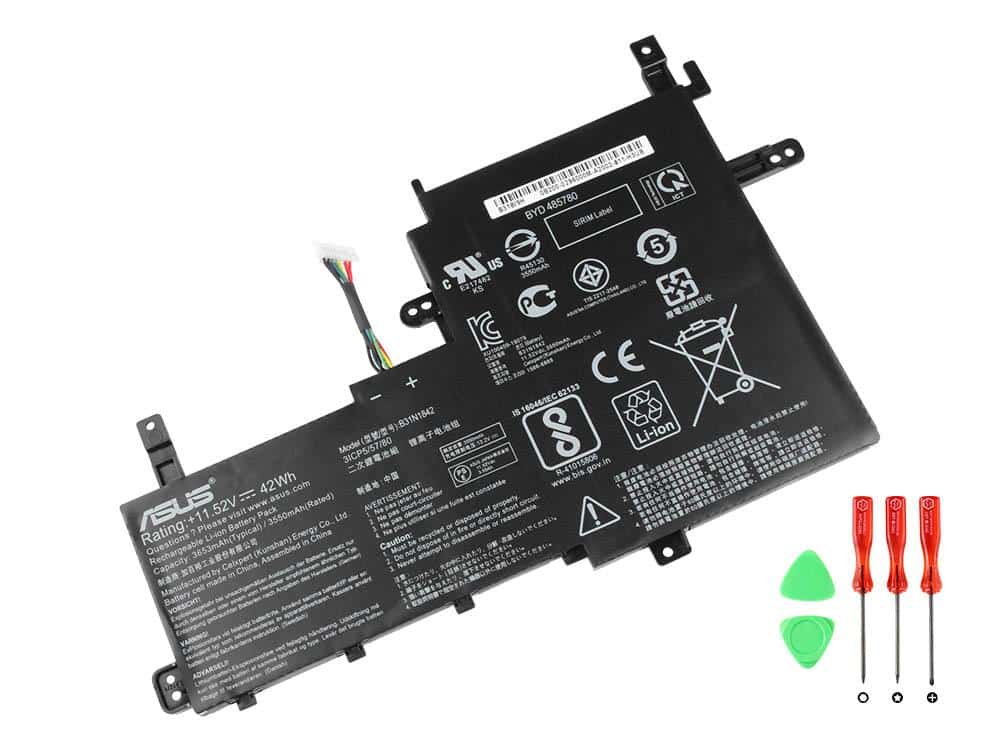
The accurate ASUS VivoBook battery replacement cost depends on the exact laptop model and the compatible battery assembly. VivoBook is a broad product family, so a quote cannot be confirmed reliably from the name “VivoBook” alone. The full model code and battery identification are needed before a supplier or repair service can confirm the correct part.
Reduced runtime, unexpected shutdowns or charging concerns may lead you to seek an ASUS VivoBook battery replacement price, but these symptoms do not automatically prove that the battery is the fault. The model cost section below is reserved for verified component pricing. Entries awaiting verification are not confirmed quotes. The rest of this guide explains compatibility, sourcing, fitting scope and the reasons quotations vary.
VivoBook battery replacement cost by model
Use the model and generation breakdown below to compare battery replacement estimates. Prices are indicative India-market replacement costs and may vary depending on the exact model, battery part number, battery capacity, availability and whether installation is included.
| Model / generation | Estimated replacement cost | Price basis |
|---|---|---|
| X515 | ₹3,500–₹5,000 | Model-specific internal battery + replacement service |
| M515 | ₹3,500–₹5,000 | Model-specific internal battery + replacement service |
| Vivobook 14X | ₹4,000–₹5,500 | 50–63Wh battery configurations; model dependent |
| Vivobook 14 OLED | ₹4,000–₹5,500 | Model and battery part dependent |
| Vivobook Flip 14 | ₹3,500–₹5,000 | Battery listings for TP410/TP412-series configurations |
| Vivobook Go 14 | ₹3,500–₹5,000 | Model-specific internal battery |
| X515 | ₹3,500–₹5,000 | Model-specific internal battery + replacement service |
| X515EA | ₹3,500–₹5,000 | X515EA-specific battery compatibility required |
| M515 | ₹3,500–₹5,000 | Model-specific internal battery + replacement service |
| Vivobook 15X | ₹4,000–₹5,500 | 42–50Wh configurations; model dependent |
| Vivobook 15 OLED | ₹4,000–₹5,500 | 50Wh configurations; model and part dependent |
| Vivobook Go 15 | ₹3,000–₹4,500 | Model-specific internal battery; current E1504F-family battery pricing |
| S15 | ₹4,000–₹5,500 | 70Wh configurations and model-specific battery |
| Vivobook Pro 15 | ₹4,500–₹6,000 | Higher-capacity performance-laptop battery |
| Vivobook 16 | ₹4,000–₹5,500 | Model and battery capacity dependent |
| Vivobook 16X | ₹4,000–₹5,500 | 50–70Wh configurations; model dependent |
| S16 | ₹4,500–₹6,000 | 70Wh configurations; model-specific battery |
| Pro 16 | ₹5,000–₹6,500 | Higher-capacity performance-laptop battery |
| Pro 16X | ₹5,000–₹6,500 | Higher-capacity model-specific battery |
| Vivobook 16 Flip | ₹4,500–₹6,000 | Convertible model-specific internal battery |
Asus Vivobook 14 battery Replacement Cost (Standard Models)
- X515: Estimated battery replacement cost of ₹3,500–₹5,000.
- M515: Estimated battery replacement cost of ₹3,500–₹5,000.
Asus Vivobook 14X battery Replacement Cost
- Vivobook 14X: Estimated battery replacement cost of ₹4,000–₹5,500. Different 14X configurations use different battery capacities, including 50Wh and 63Wh variants, so the exact model should be confirmed before replacement.
Asus Vivobook 14 OLED battery Replacement Cost
- Vivobook 14 OLED: Estimated battery replacement cost of ₹4,000–₹5,500. The exact UX/K-series model and battery part number should be checked before ordering.
Asus Vivobook Flip 14 battery Replacement Cost
- Vivobook Flip 14: Estimated battery replacement cost of ₹3,500–₹5,000. Current Indian listings for TP410/TP412-series batteries are around ₹3,400–₹4,500 for the battery part alone, before any separate fitting or service charges.
Asus Vivobook Go 14 battery Replacement Cost
- Vivobook Go 14: Estimated battery replacement cost of ₹3,500–₹5,000. The exact E-series model should be confirmed because battery specifications differ between generations.
Asus Vivobook 15 battery Replacement Cost (Standard Models)
- X515: Estimated battery replacement cost of ₹3,500–₹5,000.
- X515EA: Estimated battery replacement cost of ₹3,500–₹5,000. The X515EA should be matched against its exact battery part number rather than a generic X515 battery.
- M515: Estimated battery replacement cost of ₹3,500–₹5,000.
Asus Vivobook 15X battery Replacement Cost
- Vivobook 15X: Estimated battery replacement cost of ₹4,000–₹5,500. Current 15X configurations include 42Wh and 50Wh battery variants, so the exact K/M-series model affects the required replacement battery.
Asus Vivobook 15 OLED battery Replacement Cost
- Vivobook 15 OLED: Estimated battery replacement cost of ₹4,000–₹5,500. A current Vivobook 15 OLED configuration uses a 50Wh, 3-cell battery, but the exact battery part should be confirmed against the laptop model.
Asus Vivobook Go 15 battery Replacement Cost
- Vivobook Go 15: Estimated battery replacement cost of ₹3,000–₹4,500. Current Vivobook Go 15 E1504F configurations should be matched against the exact battery part before replacement.
Asus Vivobook S15 battery Replacement Cost
- S15: Estimated battery replacement cost of ₹4,000–₹5,500. Some S15 configurations use a 70Wh battery, so the battery capacity and exact model can affect the replacement price.
Asus Vivobook Pro 15 battery Replacement Cost
- Vivobook Pro 15: Estimated battery replacement cost of ₹4,500–₹6,000. Performance-oriented Pro configurations can use higher-capacity batteries, which can cost more than standard Vivobook batteries.
Asus Vivobook 16 battery Price (Standard Models)
- Vivobook 16: Estimated battery replacement cost of ₹4,000–₹5,500. The exact X/M-series model and battery capacity should be confirmed before ordering.
Asus Vivobook 16X battery Replacement Cost
- Vivobook 16X: Estimated battery replacement cost of ₹4,000–₹5,500. Current 16X configurations include both 50Wh and 70Wh battery variants, so the exact model is important when selecting the replacement.
Asus Vivobook S16 OLED battery Replacement Cost
- S16: Estimated battery replacement cost of ₹4,500–₹6,000. Current S16 configurations can use a 70Wh battery, making the exact model and battery part number important for an accurate quote.
Asus Vivobook Pro 16/ Pro 16X OLED battery Replacement Cost
- Pro 16: Estimated battery replacement cost of ₹5,000–₹6,500.
- Pro 16X: Estimated battery replacement cost of ₹5,000–₹6,500. Both models require confirmation of the exact configuration and compatible battery part before replacement.
Asus Vivobook 16 Flip battery Replacement Cost
- Vivobook 16 Flip: Estimated battery replacement cost of ₹4,500–₹6,000. Convertible models use model-specific internal batteries, so the exact TP/K-series model should be confirmed before purchasing a replacement.
These figures are estimated battery replacement costs in India, rather than fixed ASUS prices. Battery-only online listings can be lower than a complete repair quotation because installation, diagnosis, taxes, pickup/delivery and other service charges may be separate. ASUS recommends using its Spare Parts Price Checker with the exact model name or serial number to identify the compatible genuine battery and current part price.
Why Does Battery Replacement Cost Vary?
An ASUS VivoBook battery replacement price is affected by the specific battery assembly and the work included in the quotation. Two laptops that share the VivoBook name may require different parts, so broad product-family comparisons can be misleading.
- Compatible battery assembly: The required part number and documented compatibility determine which replacement can be quoted.
- Battery sourcing: Manufacturer-origin claims and third-party compatible options may have different quotation terms. No universal price ranking should be assumed without checking the specific part.
- Installation scope: A battery-only purchase is different from a fitted replacement that includes labour and post-installation checks.
- Availability and procurement: Confirmed stock and sourcing arrangements can affect the quotation and expected timing.
- Additional faults: A charging port, adapter, connector or charging-circuit issue may require separate assessment and approval beyond battery replacement.
- Incorrect assumptions about the product family: Screen size, display technology or a broad VivoBook label does not establish battery cost, capacity or installation complexity.
For an ASUS VivoBook battery price in India, ask whether the quoted figure refers to the part alone or to a complete replacement service. A clear quote should be based on the confirmed battery rather than a generic online listing.
IndiRepair can help separate a battery-related concern from a wider charging issue before a replacement is approved. For an initial service route, see the Asus laptop battery replacement service.
How Can You Confirm the Model and Battery Compatibility?
Start with the complete ASUS model code, not just “VivoBook 14,” “VivoBook 15” or another family name. The battery part number identifies the battery assembly, but it should be matched against reliable compatibility information rather than selected only because the shape or advertised capacity looks similar.
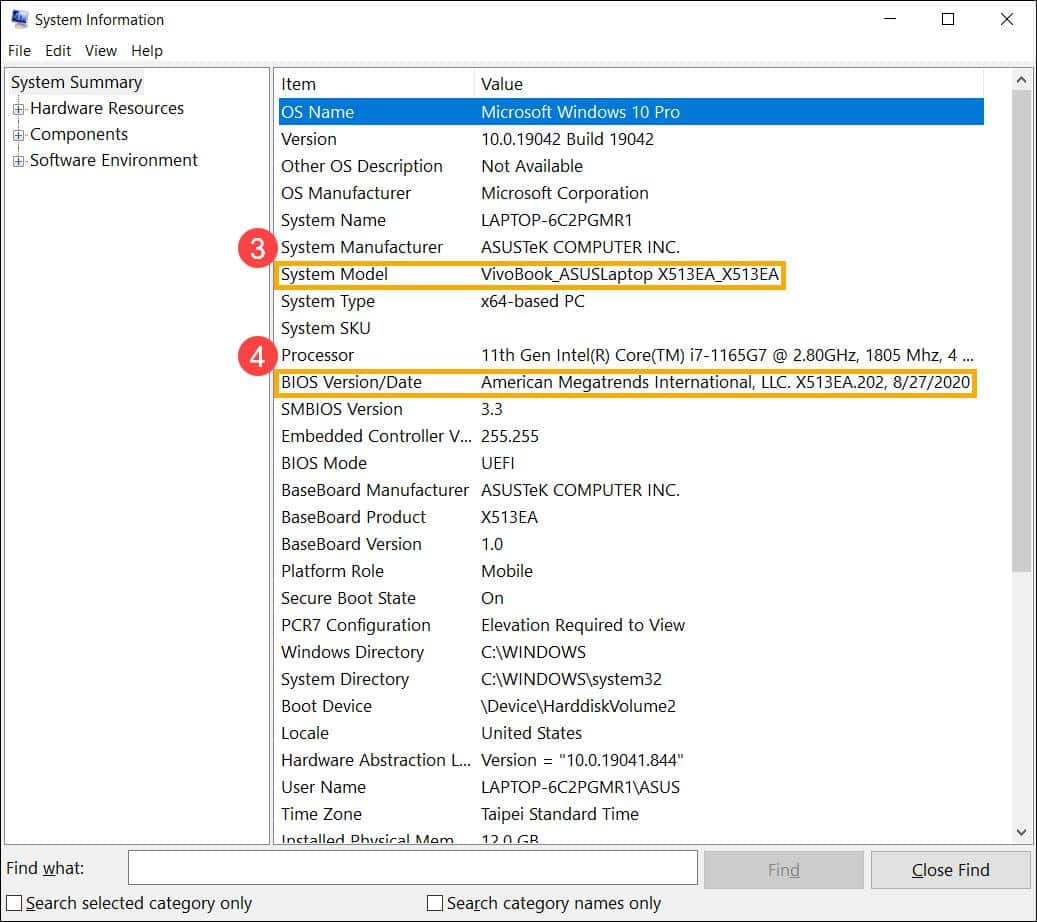
Use the following checks to prepare information for a dependable quote:
- Record the complete model code. Check the device label, system information or purchase documentation. A broad family name is not sufficient for battery identification.
- Share model details privately. Provide the information to the supplier or service provider through an appropriate private channel. Share serial information only when it is genuinely required.
- Identify the existing battery part number. Use reliable service records, or ask a qualified technician to identify it if internal access is necessary. Do not open the laptop if you are not comfortable working around a battery.
- Request compatibility confirmation. Ask for confirmation of the approved replacement or documented substitute, including the relevant electrical, connector, physical-fit and mounting requirements.
- Resolve listing differences before purchase. If the seller’s listing and the confirmed compatible part do not match, pause the purchase. Similar appearance or a similar capacity claim alone is not enough.
If internal inspection is needed, a qualified technician can identify the battery without asking you to make an uncertain DIY disassembly. IndiRepair has practical experience diagnosing laptop problems across 500+ laptop repairs, with the aim of checking the underlying fault before recommending a replacement.
book your Asus laptop repair with IndiRepair
What Should a Battery Replacement Quote Include?
When comparing an ASUS VivoBook battery price or replacement quotation, compare the scope as carefully as the component itself. A lower part-only figure may not be comparable with a fitted service that includes diagnosis, installation and basic checks.
- Part identification and sourcing: The quote should identify the battery part number, documented compatibility and what is actually being supplied.
- Price scope: Confirm whether the amount covers only the battery or also installation, taxes, diagnosis, collection or delivery. Monetary inclusions should be stated in writing.
- Post-installation scope: Ask which charging, battery-recognition and basic operation checks are included. Provider-specific policies should be verified rather than assumed.
- Exclusions and approval: The quote should explain how unrelated faults, damaged connectors or additional repairs will be handled and when approval is required.
- Purchase protection: Check written warranty coverage, exclusions, the claim process and return terms if the supplied part is incorrect or incompatible.
- Availability and timing: Confirm stock status, procurement requirements, expected completion and quote validity for the requested model.
How Should You Assess an Original-Battery Claim?
The phrase “original battery” in a listing is not, by itself, proof of manufacturer origin, compatibility or warranty coverage. Look for clear part identification, documented sourcing, an invoice and written terms that explain what protection applies.
A manufacturer-origin product and a third-party compatible product should be described separately. Do not assume that all alternatives are equivalent, and do not assume that an “original” label guarantees suitability for your particular VivoBook. Any claim about the source, availability or warranty of a battery should be confirmed with the provider before purchase.
When Is Battery Replacement Worth Considering?
Battery replacement may be worth assessing when the laptop no longer provides useful unplugged operation or shows a battery-related warning. These observations indicate that an evaluation may be appropriate, but they do not independently confirm that the battery needs replacement.
- Noticeably reduced runtime away from the charger.
- Unexpected shutdowns while the laptop is running on battery power.
- A battery-health warning or an unusual change in charging behaviour.
- Charging that stops or behaves inconsistently after the external power path has been checked safely.
Charging concerns can involve the adapter, charging connection, battery connector or charging circuitry. Replacing the battery without assessment may not resolve a fault elsewhere in the charging system. The decision should also consider the laptop’s overall condition, suitability for current work, confirmed compatible-part availability and any additional repair needs.
A replacement should not be expected to deliver a guaranteed runtime or restore every aspect of the laptop’s original performance. Usage conditions and the particular replacement part affect runtime. If the battery is swollen, the case is distorted or the battery becomes unusually hot, stop using it and seek professional assessment.
- Do not charge, press, puncture or squeeze a swollen battery.
- Do not continue using a laptop that shows smoke, sparks, melting, exposed wires or a burning smell.
- Keep away from DIY disassembly after liquid exposure or visible battery damage.
- Do not use a damaged charger or repeatedly bend a damaged charging connector.
After meaningful checks, IndiRepair recommends treating each result as a clue rather than automatic proof that one component has failed. A laptop that charges inconsistently, for example, may need a broader assessment before a battery is ordered. You can get your Asus laptop battery checked by IndiRepair when the cause is unclear.
Frequently Asked Questions
Q: Can I Get an Accurate Quote Without the Full Model Code?
A: Usually, a dependable quote requires more than the VivoBook family name or screen size. Different variants can use different battery assemblies, so the full model details and compatible battery identification should be confirmed first. If the model code is unavailable, provide clear device documentation privately and ask the service provider what additional information is needed. Any unverified entry in a pricing table should be treated as pending confirmation, not as a confirmed offer.
Q: Does the Quoted Battery Price Include Fitting and Taxes?
A: Not necessarily. The phrase “battery price” may refer only to the component, while a fitted replacement can involve installation, diagnosis, taxes and collection or delivery charges. Ask for an itemised written quote that states what is included and what is excluded. It should also explain whether basic charging and battery-recognition checks are part of the service. Do not compare quotations until their scope is clear.
Q: Can a Battery Listed for the Same VivoBook Family Still Be Incompatible?
A: Yes. A shared family name does not establish compatibility. The connector, physical fit, mounting arrangement and electrical requirements must match the laptop and the documented battery assembly. A listing that uses the same VivoBook name may still apply to a different variant. Confirm the exact part identification with the seller or a qualified technician before buying, and do not rely on appearance or a similar capacity claim alone.
Q: What If a Seller Cannot Verify the Battery’s Origin?
A: Treat the origin as unconfirmed rather than assuming that the battery is manufacturer-original. Ask for clear sourcing information, part identification, compatibility documentation, invoice details and written warranty or return terms. A third-party compatible product should be described honestly as such. If the seller cannot explain what is being supplied or how an incompatibility claim would be handled, pause the purchase until the terms are clear.
Q: What Warranty Should Be Confirmed Before Replacement?
A: Confirm the stated coverage period, faults covered, exclusions, labour treatment and claim process. Ask whether the terms apply to the battery alone or also to installation, and whether incorrect model information affects the claim. Warranty duration and service conditions vary, so do not assume a standard policy. Request the terms in writing before approving the replacement, particularly when the part is being sourced from a third party.
Q: How Do Stock Availability and Sourcing Affect Replacement Timing?
A: A confirmed locally available part and a battery that must be procured are different situations. Availability can depend on the exact model, compatible part and service location, so a fixed completion time should not be assumed. Ask whether stock is confirmed, whether procurement is required, how long the quote remains valid and when the service can realistically be completed. These details should be verified for the requested battery rather than inferred from a general listing.
Q: Will a New Battery Fix Every Charging Problem?
A: No. A new battery may not resolve a problem caused by the charger, charging port, connector or charging circuitry. Reduced runtime can also have more than one contributing factor. An assessment should establish whether the battery is actually the component requiring replacement before you purchase it. If charging behaviour remains abnormal, avoid repeatedly forcing the connector or using damaged equipment and arrange a suitable diagnostic check.
Confirm Compatibility Before Booking a Replacement
For a reliable ASUS VivoBook battery replacement cost, confirm the complete model code, match it with a compatible battery and request a written quote that separates the part, fitting and other charges. Share the details privately and ask about availability and terms before approving the work. When you want help with that decision, consider Asus laptop battery repair with IndiRepair.
About the Author: Khan Rahil is a diploma holder in Computer Hardware with over 5 years of hands-on experience in laptop repairs and Senior Technician at IndiRepair. He has overseen hundreds of screen replacements, ensuring quality and customer satisfaction.